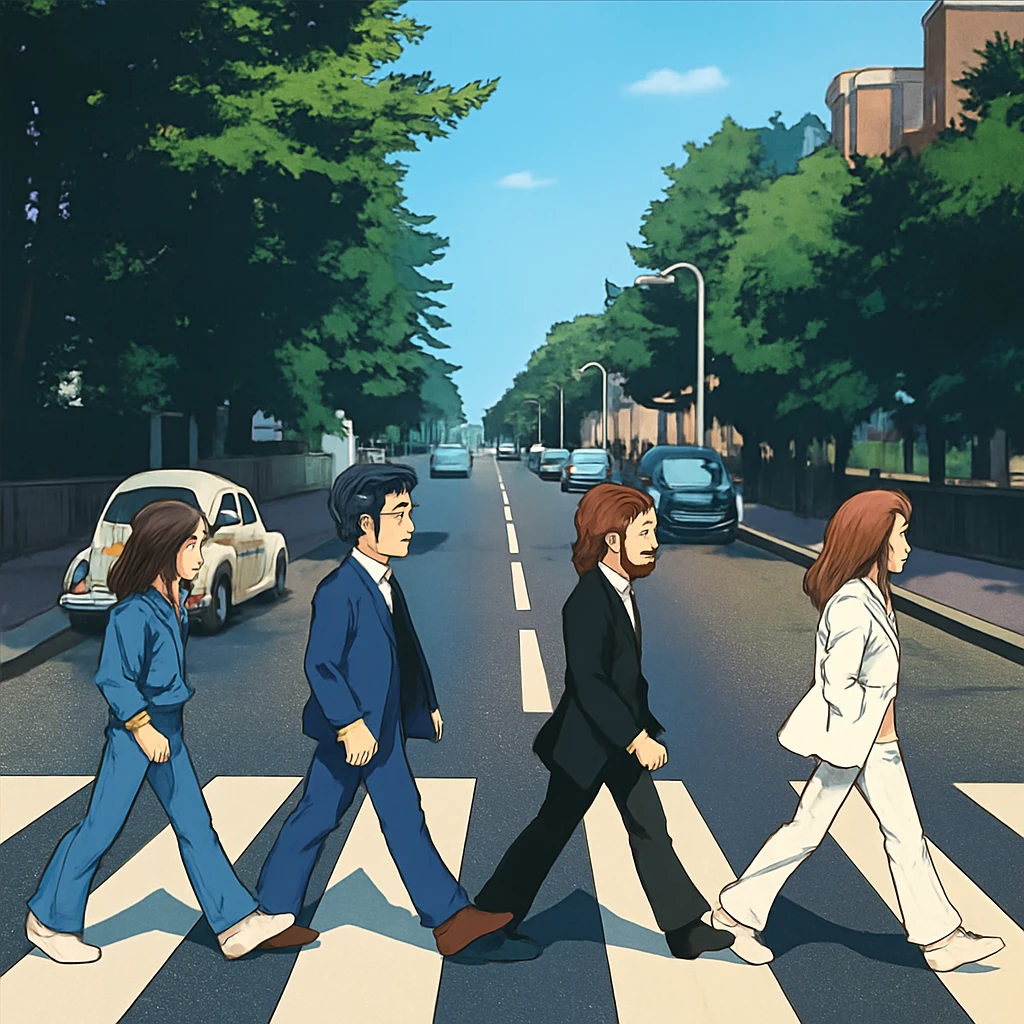
Creating an eye-catching album cover is a big part of sharing your music with the world. It’s often the first thing fans see, and it sets the tone for your sound. Thanks to modern technology, you don’t need to be a graphic designer or hire an expensive professional to make a stunning cover. AI album cover generators make it easy to create unique, professional-looking artwork that matches your music. In this guide, we’ll walk you through how to use these tools, why they’re great, and tips to make your cover stand out. Written in simple language, this article is perfect for young musicians or anyone new to design.
What is an AI Album Cover Generator?
An AI album cover generator is a tool that uses artificial intelligence to create custom album artwork. You tell it what you want—things like your music’s genre, mood, or favorite colors—and the AI creates designs that fit your vision. Whether you’re making pop, rock, hip-hop, or classical music, these tools can produce covers that feel right for your style.
How AI Technology Works
AI album cover generators use something called machine learning. This means they’ve studied thousands of album covers to learn what makes them look good. The AI combines colors, shapes, and styles to create designs that feel fresh and professional. It’s like having a super-smart artist who can whip up ideas in seconds.
Customization Options
These tools let you tweak your design to make it your own. You can pick specific colors, add text like your album title, or choose a style like bold, retro, or minimalist. This means your cover won’t just look cool—it’ll feel like you.
Lots of Styles to Choose From
AI generators aren’t stuck on one look. Want a dreamy, abstract cover? A gritty, urban vibe? Or maybe a classic, vintage feel? These tools can create all kinds of designs, so you can experiment until you find the perfect match for your music.
Digital Dreams for “Midnight Static”
My friend Jake had finally finished his ambient electronic EP but was stuck on cover art. As a broke musician, hiring a designer wasn’t an option. I offered to help using Midjourney.
The album was called “Midnight Static” – dreamy, glitchy soundscapes perfect for 3 AM listening. I experimented with prompts: “retrofuturistic cityscape, neon purple and blue, VHS static overlay, synthwave aesthetic.”
After dozens of iterations, we found it – a hazy urban skyline bleeding through digital noise, like a corrupted memory of a cyberpunk dream. The AI had captured something neither of us could articulate: that feeling of technology melting into emotion.
Jake was thrilled. The cover perfectly matched his sound’s nostalgic-yet-futuristic vibe. We spent $20 on AI credits instead of $200 on a designer.
The EP gained traction on Spotify, and several people commented specifically on the striking artwork. Sometimes AI democratizes creativity in the best way – giving artists tools they couldn’t otherwise access, turning limitations into opportunities.
Why Use an AI Album Cover Generator?
Using an AI tool to design your album cover comes with some awesome benefits. Here’s why they’re a game-changer for musicians:
Saves Money
Hiring a professional designer can cost hundreds of dollars. AI generators are often free or super affordable, which is great for artists who are just starting out or working on a tight budget. You get pro-looking results without breaking the bank.
Saves Time
Designing a cover from scratch takes hours, maybe even days. With AI, you can get multiple designs in just a few minutes. This lets you spend more time writing songs or practicing instead of stressing about artwork.
Sparks Creativity
AI tools can come up with ideas you might not have thought of on your own. They mix colors, patterns, and images in unique ways, giving you tons of creative options. You might start with one idea and end up with something totally unexpected and awesome.
Easy for Beginners
You don’t need to know anything about design to use these tools. Most AI generators have simple interfaces that guide you step-by-step. Even if you’ve never made art before, you can create something that looks professional.
The Moment It Clicked
I’d been struggling for weeks to visualize my folk-rock album “Weathered Roads.” Dozens of AI attempts yielded generic landscapes or cliché guitar imagery. Frustrated, I tried one last prompt: “lonely highway at golden hour, worn leather jacket abandoned on guardrail, dust and memory.”
The image that generated stopped me cold. A desolate stretch of asphalt caught amber light, with a weathered jacket draped over rusted metal – exactly like the one my grandfather wore on road trips before he passed. It captured the album’s themes of loss, journey, and inherited stories without being literal.
I stared at my screen, unexpectedly emotional. The AI had somehow understood something I couldn’t articulate – that bittersweet intersection of nostalgia and forward motion that defined every song.
When I posted the cover, listeners immediately connected with it. “This looks exactly how your music sounds,” one commented. The AI hadn’t just created art; it had translated feeling into visual language, becoming an unexpected creative collaborator in ways I never imagined possible.
Step-by-Step Guide to Creating Your Album Cover
Ready to make your own album cover? Follow these five simple steps to get started:
Step 1: Pick the Right Tool
There are lots of AI album cover generators out there. Some popular ones include Canva, Adobe Express, and Republiclabs.ai. Some are free, while others have paid versions with extra features. Look at reviews online to find a tool that’s easy to use and has the styles you like. Think about your budget and what features matter most to you.
Step 2: Get Inspired
Before you start designing, look at other album covers in your genre. What do you like about them? Maybe you love bright colors or bold shapes. Write down ideas or save images that spark your creativity. You can also look at things like nature, movies, or art for inspiration.
Step 3: Tell the AI What You Want
Once you’ve picked a tool, it’s time to share your ideas. Most generators ask for details like your music’s genre (like rock or jazz), the mood (happy, dark, or chill), and colors you like. Be clear about what you want so the AI can create designs that match your vision.
Step 4: Generate and Tweak
The AI will show you a few different designs based on your inputs. Pick the one you like best, then customize it. You can change the text (like adding your band name), adjust colors, or move things around. Play with different options until the cover feels just right.
Step 5: Download and Share
When you’re happy with your design, download it. Make sure it’s high-quality so it looks good online or in print. Then, share it on platforms like Spotify, Instagram, or TikTok to show off your music. You can even use the design for posters or merch to get your fans excited.
Breaking Through with “Neon Ghosts”
Indie synthpop duo Electric Velvet was drowning in Spotify’s endless sea of bedroom pop covers featuring plants and sunset gradients. For their single “Digital Heartbreak,” they experimented with AI-generated art through DALL-E.
Their prompt: “holographic woman dissolving into pixel fragments, 80s neon colors, emotional decay, cyberpunk romance.” The result was striking – a translucent figure fragmenting into geometric shards against electric pink and cyan, perfectly capturing their retro-futuristic sound.
The cover immediately caught attention on social media. Music bloggers shared it alongside track reviews, calling it “hauntingly beautiful” and “perfectly on-brand.” Playlist curators noticed the visual cohesion with the music’s aesthetic.
Stream counts doubled within weeks. The band credited much of their breakthrough to that cover – it communicated their artistic vision instantly, helping them stand out in algorithmic feeds where thumbnails matter as much as melodies.
They’ve since used AI for their entire visual identity, becoming known for their distinctive digital-decay aesthetic that perfectly matches their sound.
Free vs. Paid AI Generators
Should you use a free tool or pay for a premium one? Here’s a quick breakdown to help you decide:
Free Generators
Free tools are perfect for beginners or artists with no budget. They let you create basic designs and try different styles. The downside? They might add a watermark (a logo from the tool) or have fewer customization options. Still, you can often make great covers without spending a dime.
Paid Generators
Paid tools usually give you more control. You might get higher-quality images, more design options, or access to special fonts and effects. If you’re selling your music or want a super polished look, paying a little might be worth it. Some tools offer subscriptions, while others charge a one-time fee.
What’s Best for You?
Think about what you need. If you’re just experimenting, a free tool might be enough. If you’re releasing an album professionally, a paid tool could give you an edge. Consider your budget and how you’ll use the cover before deciding.
Tips for Making an Awesome Album Cover
A great album cover does more than look pretty—it tells a story about your music. Here are some tips to make yours stand out:
Match Your Music
Your cover should feel like your songs. If your music is upbeat and fun, go for bright colors and bold designs. If it’s moody and deep, try darker tones or abstract images. The cover should give fans a hint of what to expect when they hit play.
Keep It Simple
A busy design can be hard to look at. Stick to a few key elements, like one main image and clear text. Simple covers are easier to recognize and often leave a stronger impression.
Be Different
With so many albums out there, you need to stand out. Try a unique style or add something personal, like a symbol that means something to you. A one-of-a-kind cover will grab attention and make fans curious.
Think About Your Fans
Who’s listening to your music? Teens might love bold, colorful designs, while older fans might prefer something classic. Make sure your cover speaks to the people you want to reach.
Try Different Designs
Don’t pick the first design you see. Generate a few options and compare them. You can even show them to friends or fans to get their opinions. Testing different designs helps you find the one that feels perfect.
Great album covers function as visual shorthand for the music’s emotional core. They work when there’s authentic synergy between sound and image – think Pink Floyd’s prism refracting light like their psychedelic compositions, or Nirvana’s underwater baby capturing grunge’s raw vulnerability.
Memorable designs often balance familiarity with surprise. They use recognizable elements but twist them unexpectedly, creating that “double-take” moment that embeds in memory. Strong covers also work at thumbnail size – crucial in streaming era where most people first encounter them as tiny squares.
AI tools excel at generating unexpected visual combinations that human designers might not consider. They can rapidly iterate through countless style mashups, helping artists discover aesthetic territories they wouldn’t naturally explore. AI is particularly powerful for translating abstract musical concepts – like “melancholic but hopeful” – into concrete imagery.
However, AI’s strength isn’t replacing human creativity but amplifying it. The most effective approach combines AI’s generative power with human curation and emotional intelligence. Artists who understand their music’s essence can guide AI toward covers that truly resonate rather than just look polished.
Conclusion
AI album cover generators are a fantastic way to create professional, eye-catching artwork for your music. They’re affordable, fast, and easy to use, making them perfect for musicians of all levels. By following the steps in this guide—choosing a tool, gathering inspiration, inputting preferences, customizing, and sharing—you can create a cover that captures your music’s vibe.
Whether you’re dropping your first single or your tenth album, AI tools make it simple to design something that looks amazing. Plus, they let you experiment with endless ideas, helping you find a style that’s all your own.
Embrace the Future
Technology is changing how we make music and art. AI album cover generators are a great example of how tools can make creativity easier and more fun. By using them, you can stay ahead of the curve and focus on what you love—making music.
Find New Ideas
AI tools don’t just save time—they spark new ideas. You might start with a simple concept and end up with a cover that takes your music to the next level. These tools push you to think outside the box and try new things.
Connect with Your Fans
Your album cover is a way to share your story with listeners. A great design grabs their attention and makes them want to hear more. With AI, you can create a cover that feels personal and builds a stronger connection with your audience.
Happy designing, and have fun bringing your music to life!
Leave a Reply