
The landscape of digital content creation has witnessed significant evolution, driven by advancements in artificial intelligence. Among these innovations is the AI video generator, a software application that leverages AI algorithms to produce video content from various inputs, including text, images, and audio. These tools are often accessible online, offering a convenient platform for users to create videos without requiring extensive technical knowledge in video editing or animation.
An AI video generator is a system designed to automate the process of video creation. At its core, it synthesizes visual and auditory elements based on user-provided data and algorithmic interpretation. This process can range from simple text-to-speech narration over static images to complex animations with synchronized lip movements and gesture generation for avatars.
Core Functionality
The primary function of an AI video generator is to translate user input into a dynamic visual narrative. This involves several key steps:
- Input Processing: The generator accepts various forms of input, such as text scripts, audio files, still images, or even basic prompts describing a scene.
- Asset Generation/Selection: Based on the input, the AI either generates new visual assets (e.g., characters, backgrounds, props) or selects pre-existing ones from a library.
- Animation and Sequencing: The AI orchestrates the movement and interaction of these assets, creating a sequence of frames that form the video. This can involve animating characters, transitioning between scenes, and applying visual effects.
- Audio Integration: Text-to-speech technology is often employed to convert written scripts into natural-sounding voiceovers. Existing audio files can also be integrated and synchronized with the visuals.
- Rendering and Output: Finally, the generated video is compiled and rendered into a standard video format, ready for download or sharing.
Types of AI Video Generators
The field encompasses a spectrum of tools, each with its unique focus and capabilities. Understanding these classifications can help you choose the appropriate tool for your needs.
- Text-to-Video Generators: These tools primarily convert written text into video content. They often feature AI-powered avatars that vocalize the text and perform gestures, alongside dynamic backgrounds and visual elements.
- Prompt-to-Video Generators: More advanced systems allow users to describe their desired video in natural language prompts. The AI then interprets these prompts to generate corresponding visual and auditory content, similar to how text-to-image generators function.
- Image-to-Video Generators: These tools animate static images, often by adding camera movements, visual effects, or synthesizing facial expressions and lip-syncing if a narrative is provided.
- Audio-to-Video Generators: Focusing on audio input, these generators can synchronize visual elements, such as waveforms or animated characters, to pre-recorded speech or music.
How AI Video Generators Work
The operational mechanics of AI video generators are rooted in complex machine learning models, particularly deep learning. These models are trained on vast datasets of existing video content, enabling them to comprehend visual patterns, motion dynamics, and the relationship between audio and visual cues.
Underlying AI Technologies
Several AI disciplines converge to power these tools:
- Natural Language Processing (NLP): For text-to-video capabilities, NLP models analyze and understand the semantic meaning of user-provided text scripts. This enables the AI to identify keywords, emotions, and pacing for delivering appropriate visual cues and vocal tonality.
- Generative Adversarial Networks (GANs): GANs are frequently used for generating realistic visual elements, such as character faces, backgrounds, or even entire scenes. One part of the GAN (the generator) creates new data, while another part (the discriminator) evaluates its realism, iteratively improving the output.
- Diffusion Models: These models have gained prominence for their ability to generate high-quality images and video frames from noise, guided by text prompts or other inputs. They are particularly effective at producing diverse and creative visual outcomes.
- Computer Vision: Computer vision algorithms are crucial for tasks like facial recognition, gesture detection, and object tracking, which are essential for animating avatars and ensuring visual consistency within a video.
- Speech Synthesis (Text-to-Speech – TTS): TTS engines convert written text into spoken audio. Advanced TTS models can generate natural-sounding voices with varying intonations, accents, and emotional inflections, enhancing the realism of AI-generated narrations.
- Speech Recognition: While less central to generation, speech recognition can be used in some tools to transcribe audio inputs, which can then be processed to drive visual elements or generate subtitles.
The Production Pipeline
Consider the process as a sophisticated assembly line where each AI component contributes to the final product:
- Script Analysis: If you provide a script, NLP models dissect it to understand its narrative structure, emotional tone, and key elements. This information serves as a blueprint for the visual aspects.
- Visual Asset Creation/Selection: Based on the script or prompts, the AI either generates custom visuals or selects pre-designed assets from its library. This can involve creating realistic human avatars, abstract graphics, or detailed environments.
- Animation and Choreography: This is where the AI breathes life into the static elements. It determines character movements, facial expressions, camera angles, and scene transitions, aiming for a coherent and engaging flow. For avatars, sophisticated models map speech patterns to lip movements and generate appropriate body language.
- Audio Generation/Synchronization: If a voiceover is required, the TTS engine converts the script into speech. This audio is then precisely synchronized with the visual animations, ensuring that an avatar’s lips move in time with their spoken words. Background music and sound effects are also integrated at this stage.
- Post-Production Effects: The AI can apply various post-production effects, such as color grading, visual filters, and particle effects, to enhance the video’s aesthetic appeal and convey specific moods.
- Final Rendering: All these generated and synchronized elements are then compiled into a high-quality video file, often in standard formats like MP4.
Key Features and Capabilities
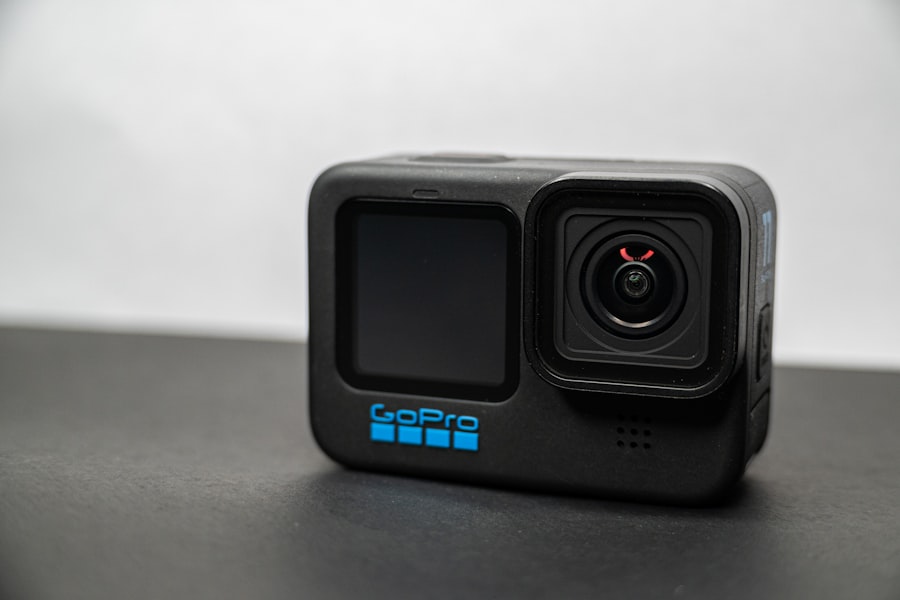
AI video generators offer a diverse set of features, catering to various creative and practical needs. Awareness of these capabilities will empower you to leverage them effectively.
Avatar Generation and Animation
A cornerstone of many AI video generators is the ability to create and animate virtual presenters.
- Realistic Avatars: Many platforms offer a selection of pre-designed avatars, ranging from photorealistic human representations to more stylized or animated characters. These avatars can be customized in terms of appearance (clothing, hair, accessories) and sometimes even facial features.
- Lip-Syncing: A critical feature for natural-sounding presentations, AI models accurately synchronize the avatar’s lip movements with the generated or uploaded audio. This eliminates the need for manual animation of mouth shapes.
- Gesture and Emotion Generation: Beyond lip-syncing, advanced AI can imbue avatars with natural body language, hand gestures, and a range of facial expressions (e.g., happy, sad, thoughtful). This adds a layer of expressiveness and engagement to the video.
- Custom Avatar Creation: Some tools allow users to create avatars from their own photographs or even full body scans, offering a personalized touch. This is particularly useful for branding or creating a digital spokesperson.
Text-to-Speech (TTS) Integration
The integration of advanced TTS technology is fundamental for creating vocal narratives without hiring voice actors.
- Multilingual Support: Modern TTS engines typically support numerous languages and accents, allowing you to create videos for global audiences.
- Voice Customization: Users can often choose from a library of voices with different genders, ages, and speaking styles. Some platforms also offer the ability to adjust pace, pitch, and emphasis, providing fine-grained control over the vocal delivery.
- Emotional Range: As TTS technology matures, voices can convey a broader spectrum of emotions, making AI-generated narratives more engaging and less robotic.
Backgrounds and Visuals
The visual environment of your video plays a significant role in conveying your message.
- Stock Media Libraries: Most generators provide access to extensive libraries of stock images, video clips, and music tracks. These resources allow you to quickly populate your video with relevant visuals and audio.
- Custom Backgrounds: You can often upload your own images or videos to serve as backgrounds, giving you complete control over the visual context. This is useful for branding or specific thematic requirements.
- Dynamic Scenes and Templates: Some tools offer pre-designed scene templates with animated elements, camera movements, and transitions, streamlining the creation process for various content types (e.g., presentations, explainers, advertisements).
- Virtual Sets: For professional-looking presentations, virtual sets can simulate environments like news studios, offices, or classrooms, placing your avatar within a believable context.
Editing and Export Options
While automating much of the creation, these tools still offer degrees of user control.
- Timeline Editor (Simplified): Unlike traditional video editing software, AI generators usually feature simplified timeline editors. These allow you to reorder scenes, adjust timings, add text overlays, and integrate transitions with relative ease.
- Text Overlays and Graphics: You can typically add titles, captions, lower thirds, and other textual elements to your video, customizing fonts, colors, and animations.
- Music and Sound Effects: Libraries of royalty-free music and sound effects are often available, allowing you to add auditory depth and emotional resonance to your videos. You can adjust volume levels and synchronize audio with visual cues.
- Resolution and Format Options: Videos can usually be exported in various resolutions (e.g., 720p, 1080p, 4K) and standard video formats (e.g., MP4), suitable for different platforms and purposes.
Applications and Use Cases

The utility of AI video generators spans a wide range of industries and individual needs. Their ability to rapidly produce video content with minimal technical overhead makes them a valuable asset in today’s visually driven communication landscape.
Marketing and Advertising
For businesses, video is an increasingly critical component of marketing strategies. AI video generators offer a cost-effective and efficient way to produce promotional content.
- Product Explainer Videos: Quickly create animated videos to showcase product features, benefits, and usage, simplifying complex information for potential customers.
- Social Media Ads: Generate short, engaging video ads tailored for platforms like Instagram, Facebook, and TikTok, allowing for rapid iteration and A/B testing of different campaigns.
- Promotional Content: Produce videos for website banners, email campaigns, and landing pages to capture audience attention and drive engagement.
- Testimonials and Reviews: Transform written testimonials into spoken videos with AI avatars, adding a human touch to customer feedback.
E-learning and Education
The educational sector can leverage AI video generators to enhance learning experiences and streamline content creation for instructors.
- Course Content and Lectures: Convert lengthy text-based lectures into engaging video presentations featuring animated avatars or virtual instructors, making learning more dynamic.
- Tutorials and How-To Guides: Create step-by-step video tutorials for software, concepts, or practical skills, simplifying complex processes.
- Language Learning: Generate videos with foreign language voiceovers and synchronized subtitles, aiding in pronunciation and comprehension.
- Accessibility: Provide video summaries or alternative formats for students with diverse learning needs, enhancing inclusivity.
Corporate Communications
Within organizations, AI video generators can improve internal and external communication efficiency.
- Training Videos: Develop training modules for new employees, software onboarding, or compliance guidelines, ensuring consistent information delivery across the company.
- Internal Announcements: Create professional-looking video announcements for company news, policy changes, or project updates, fostering better engagement than traditional text memos.
- Presentations and Pitches: Enhance business presentations and sales pitches with dynamic video elements, making them more impactful and memorable.
- HR Communications: Use AI-generated videos for communicating HR policies, benefits explanations, or onboarding processes, increasing clarity and approachability.
Personal Use and Content Creation
Beyond professional applications, individuals and independent content creators can find significant value in these tools.
- Social Media Content: Create personal vlogs, reaction videos, or educational snippets for platforms like YouTube, TikTok, or personal blogs without needing advanced editing skills.
- Storytelling and Narratives: Produce animated stories or visual narratives from written scripts, bringing creative ideas to life.
- Digital Avatars for Streaming: Some advanced tools can generate avatars that can be used for live streaming, offering an alternative to displaying personal likeness.
- Greetings and Invitations: Create personalized video greetings for holidays or digital invitations for events, adding a unique and modern touch.
Advantages and Limitations
| AI Video Generator | Free Plan Features | Max Video Length | Watermark | Export Quality | Templates Available | Ease of Use | Platform |
|---|---|---|---|---|---|---|---|
| Lumen5 | Limited videos per month, basic editing tools | 5 minutes | Yes | 720p | 100+ | High | Web |
| InVideo | 60 videos/month, access to templates, watermark included | 15 minutes | Yes | 1080p | 4000+ | High | Web |
| Animoto | Limited templates, watermark on videos | 10 minutes | Yes | 720p | 50+ | Medium | Web |
| Clipchamp | Export up to 1080p, watermark on premium features | Unlimited | Only on premium features | 1080p | 100+ | High | Web |
| Wave.video | Limited video exports, watermark included | 15 minutes | Yes | 720p | 200+ | High | Web |
Like any technology, AI video generators present a duality of benefits and constraints. Understanding both sides of this coin is crucial for informed adoption and realistic expectations.
Advantages
The primary appeal of AI video generators lies in their ability to democratize video production.
- Speed and Efficiency: This is perhaps the most significant advantage. What might take hours or days for a human video editor can be accomplished in minutes by an AI. This rapid turnaround is invaluable for timely content creation.
- Cost-Effectiveness: Eliminating the need for expensive equipment, studio rentals, actors, voice artists, and professional editors significantly reduces production costs. Many tools offer free tiers or affordable subscription models.
- Accessibility: Users without prior experience in video editing, animation, or graphic design can create professional-looking videos. The intuitive interfaces abstract away much of the technical complexity.
- Scalability: Businesses and creators can produce a high volume of videos for different audiences, languages, and platforms with consistent branding and messaging, facilitating broad reach.
- Consistency: AI-generated avatars and voiceovers maintain a consistent appearance and tone across multiple videos, which is beneficial for brand identity and corporate communications.
- Multilingual Support: The integration of advanced text-to-speech engines means videos can be localized into numerous languages quickly, opening up global markets without the need for multiple voice artists.
- Reduced Production Headaches: Eliminates common issues associated with traditional video production, such as scheduling conflicts with talent, equipment malfunctions, and the iterative process of editing and revisions.
Limitations
Despite their advancements, AI video generators are not a panacea for all video production needs. They exhibit limitations that users should acknowledge.
- Lack of Genuine Human Emotion and Nuance: While AI can simulate emotions, the depth and authenticity of human expression often remain beyond its current capabilities. Avatars, even realistic ones, can sometimes appear artificial or lack the subtle nuances of human performance.
- Creativity and Artistic Vision: AI excels at executing predefined tasks but struggles with genuine creative ingenuity and unpredictable artistic vision. Highly conceptual or experimental video projects may still require human direction and input.
- Limited Customization (in Free/Basic Tiers): Free versions or entry-level subscriptions often provide a restricted set of avatars, voice options, and visual assets. Deep customization may require premium plans or prove challenging if the desired aesthetic deviates significantly from the platform’s offerings.
- Uncanny Valley Effect: For photorealistic avatars, there’s a risk of falling into the “uncanny valley,” where the avatar is realistic enough to be unsettling rather than engaging due to subtle imperfections that betray its synthetic nature.
- Quality of Generated Content: While improving, the quality of AI-generated visuals can sometimes appear generic or lack the unique polish of human-crafted animation or cinematography. The output is often dependent on the quality of the AI model and the training data.
- Dependence on Prompts and Input Quality: The adage “garbage in, garbage out” applies here. The effectiveness of AI video generation is highly dependent on the clarity, detail, and quality of the text scripts or prompts provided by the user.
- Ethical Considerations and Misinformation: The ease of generating realistic video content raises ethical concerns regarding deepfakes, misinformation, and the potential for misuse. The responsibility often falls on the user to ensure ethical application.
- Data Privacy Concerns: Uploading scripts, images, or audio to online platforms raises questions about data privacy and how user content is stored and utilized by the AI service provider. Reviewing terms of service is essential.
Using a Free Online AI Video Generator
The process of creating a video with an AI generator is generally streamlined and user-friendly, designed to be accessible to individuals without specialized technical skills. While specific interfaces vary, the workflow typically follows a common pattern.
Step-by-Step Guide
Consider this a general blueprint for navigating most free online AI video generators.
- Select Your Tool: Begin by choosing a free online AI video generator. Many reputable platforms offer free tiers with limited features or trial periods. Conduct a quick search for “free AI video generator” to explore options like Synthesys, Pictory, InVideo, or HeyGen, among others. Evaluate their free offerings to match your immediate needs.
- Sign Up or Log In: Most platforms require a free account registration. This usually involves providing an email address and creating a password. Some might offer direct sign-up via Google or social media accounts.
- Choose Your Template or Start from Scratch: Upon logging in, you’ll often be presented with options.
- Templates: Many generators offer pre-designed templates for various purposes (e.g., explainer videos, social media ads, news reports). These templates provide a ready-made structure with placeholder text and visuals, which you can then customize. This is a good starting point for beginners.
- Blank Canvas: If you have a specific vision, you can opt to start with a blank canvas, giving you full control over every element.
- Input Your Script or Text: This is the core of most AI video generators.
- Type or Paste Text: Enter your video script or the text you want your AI avatar to speak directly into the designated text box.
- Upload Audio: Some tools allow you to upload your own audio file, which the AI will then attempt to synchronize with visuals or an avatar’s lip movements.
- Generate Script (Advanced): A few advanced AI video generators might offer features to generate a script based on a simple prompt, leveraging large language models.
- Select Your Avatar (if applicable): If your chosen template or project style involves an AI presenter:
- Browse Avatars: Explore the available library of AI avatars. Consider their appearance, gender, and ethnicity to best suit your message and target audience.
- Customize (Limited): Some platforms allow minor customization of avatars, such as clothing color or basic poses.
- Choose Your Voice-Over (TTS): For spoken narratives, this step is crucial.
- Select Language and Accent: Choose the appropriate language and, if available, a specific accent.
- Pick a Voice: Listen to samples of different AI voices (male, female, various styles) and select the one that aligns with your video’s tone and purpose.
- Adjust Settings: Some tools allow you to fine-tune voice parameters like speed, pitch, and emphasis for better delivery.
- Add Visuals and Backgrounds:
- Stock Library: Browse the platform’s library of stock images, video clips, and icons to use as backgrounds or visual aids.
- Upload Your Own: Upload your own images, logos, or video clips to personalize your content.
- Background Settings: Adjust background color, add virtual sets, or apply visual effects.
- Integrate Music and Sound Effects:
- Background Music: Select royalty-free music from the generator’s library to set the mood for your video.
- Sound Effects: Add appropriate sound effects to punctuate key moments or enhance visual actions.
- Volume Adjustment: Control the volume levels of music, voice-over, and sound effects to ensure clarity and balance.
- Review and Edit: Before finalizing, take time to review your video.
- Preview Function: Use the preview feature to watch your video as it will appear.
- Timeline Editor: Most generators provide a simplified timeline where you can adjust the timing of scenes, text, and other elements.
- Make Adjustments: Correct any errors in the script, refine visual timings, change avatars or voices, and tweak any other elements until you are satisfied.
- Generate/Export: Once you are happy with your video, initiate the generation or export process.
- Processing Time: The AI will then compile all the elements, which may take a few minutes depending on the video’s length and complexity.
- Download: After processing, you will typically be provided with a link to download your video in a standard format, usually MP4.
Best Practices for Free Tools
To maximize your experience with free AI video generators, consider these practices:
- Start Simple: Begin with short, straightforward videos to familiarize yourself with the interface and capabilities. Don’t immediately aim for complex narratives.
- Utilize Templates: For quick results, leverage existing templates. They provide a solid foundation and reduce the initial learning curve.
- Optimize Your Script: A well-written, concise script is paramount. Because AI interpretation can be literal, avoid jargon or ambiguity. Break text into logical segments for easier processing by the AI.
- Experiment with Voices: Try different voices and adjust parameters like speed and pitch. The right voice can significantly impact your video’s effectiveness.
- Don’t Overlook Visuals: Even with limited options, carefully choose backgrounds, icons, and stock media that are relevant and visually appealing. Visuals are the anchor for engaging content.
- Review Thoroughly: Always preview your video multiple times before rendering. It’s easier to catch mistakes and make adjustments before the final output.
- Understand Limitations: Free tiers often have restrictions on video length, export resolution, number of projects, or access to premium features. Be aware of these to manage your expectations.
- Back Up Your Text: While platforms generally save your work, it’s a good practice to keep a copy of your script externally, especially for longer projects.
By following these steps and best practices, even without advanced video editing expertise, you can leverage free online AI video generators to produce commendable video content for various purposes.
Leave a Reply