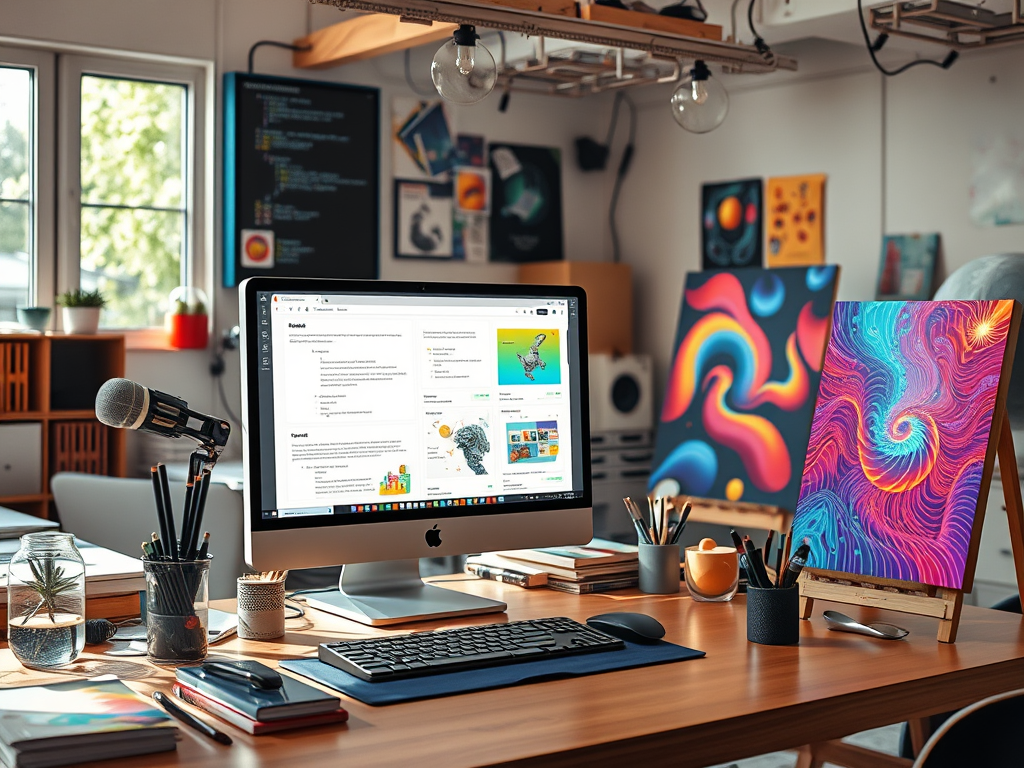
In the fast-evolving world of artificial intelligence, AI art generation has become a game-changer for hobbyists, marketers, and creative enthusiasts alike. Whether you’re designing eye-catching social media graphics, generating viral videos for your brand, or simply experimenting with digital creativity, the key to stunning results lies in one crucial skill: prompt engineering. As of 2025, tools like Flux, Midjourney, and emerging free options have democratized AI art, but without the right prompts, your outputs can fall flat.This beginner’s guide to crafting perfect prompts for AI art will equip you with everything you need to know. We’ll cover the basics of prompt engineering, common pitfalls to avoid, expert tips, over 50 proven prompt templates for both image and video generation, and real before-and-after examples using free tools. By the end, you’ll be creating professional-grade AI art that drives engagement and saves time—perfect for quick wins in marketing campaigns or personal projects. Let’s dive in and unlock the full potential of AI image and video generators.
What is Prompt Engineering and Why Does It Matter?
Prompt engineering is the art of writing precise, descriptive instructions (prompts) to guide AI models in generating images or videos. Think of it as directing a virtual artist: the better your directions, the closer the output matches your vision. In 2025, with advancements in models like Google’s Imagen 3 and OpenAI’s DALL-E 3, prompts have become more sophisticated, allowing for intricate details in style, lighting, and composition.For hobbyists, this means turning vague ideas into personalized artwork without advanced skills. Marketers benefit by rapidly prototyping visuals for ads, emails, or content that resonates with audiences. Poor prompts lead to generic or irrelevant results, wasting credits on paid tools or frustrating free users. Mastering this skill not only improves quality but also boosts efficiency—essential for quick wins in a competitive digital landscape.
Common Mistakes to Avoid in AI Prompt Engineering
Even seasoned users make errors that derail their AI art. Based on insights from experts and community discussions, here are the top pitfalls and how to sidestep them:
- Being Too Vague: A prompt like “a cat” might yield a basic sketch, but it lacks specificity. Always include details on style, mood, and elements to guide the AI.
- Overloading Prompts: Stuffing too many ideas (e.g., “a futuristic city with robots, aliens, spaceships, and dragons in a storm”) confuses the model, leading to muddled outputs. Keep it focused—aim for 50-100 words max.
- Ignoring Context and Structure: Prompts without logical flow, like jumping from subject to background, result in inconsistent compositions. Use structured formats, such as starting with the main subject, then adding descriptors.
- Neglecting Negative Prompts: Forgetting to specify what to avoid (e.g., “no blurry details”) can introduce unwanted artifacts, especially in video generation where motion blur is common.
- Not Providing Examples or References: AI thrives on patterns; referencing artists (e.g., “in the style of Van Gogh”) or using image uploads in tools like Midjourney helps refine results.
- Overlooking Tool-Specific Quirks: Free tools like Craiyon may handle simple prompts better than complex ones, while advanced models like Stable Diffusion reward detailed inputs.
- Failing to Iterate: One-shot prompting rarely works. Generate, review, and refine—common in communities like Reddit’s r/StableDiffusion.
Avoiding these mistakes can transform mediocre AI art into masterpieces, saving time for hobbyists and delivering ROI for marketers.
Tips for Crafting Perfect Prompts
To elevate your AI art, follow these actionable tips drawn from 2025’s best practices:
- Be Specific and Descriptive: Use adjectives for mood (e.g., “serene, ethereal”), lighting (e.g., “golden hour glow”), and composition (e.g., “close-up shot”).
- Structure Your Prompts: Start with the subject, add style/artist references, then details like colors, angles, and atmosphere. For videos, include motion descriptors like “slow pan” or “dynamic zoom.”
- Incorporate Parameters: Many tools support extras like aspect ratio (–ar 16:9) or style weight (–stylize 800).
- Use Negative Prompts: Explicitly exclude issues, e.g., “no distortions, no extra limbs.”
- Experiment with Free Tools: Test on platforms like Canva’s AI Image Generator or Google’s Imagen 3 for quick feedback.
- Leverage Community Insights: Draw from X (formerly Twitter) threads and sites like PromptBase for proven templates.
With these, you’ll craft prompts that yield quick, high-quality wins.
50+ Proven Prompt Templates for Image and Video Generation
Here, we’ve compiled over 50 templates, categorized for ease. These are inspired by popular examples from sources like Narrato, PromptBase, and X users. Replace [SUBJECT], [STYLE], etc., with your ideas. They’re optimized for free tools like Canva, Craiyon, HeyGen, and Kling AI.
Image Generation Templates (30+)
- “A [SUBJECT] in [STYLE], highly detailed, vibrant colors, cinematic lighting.”
- “Ultra-realistic portrait of [SUBJECT], soft golden hour light, intricate details, 4K.”
- “Abstract [SUBJECT] with swirling colors, inspired by Kandinsky, high contrast.”
- “Fantasy landscape featuring [SUBJECT], misty mountains, ethereal glow.”
- “Cyberpunk cityscape with [SUBJECT] in neon lights, rainy night, dynamic composition.”
- “Minimalist [SUBJECT] on white background, clean lines, vector art style.”
- “Vintage poster of [SUBJECT], retro colors, art deco influences.”
- “Surreal dreamscape: [SUBJECT] floating in clouds, soft pastels, Dali-inspired.”
- “Photorealistic [SUBJECT] in forest, dew drops, macro lens.”
- “Cartoon [SUBJECT] adventure, bright and fun, Pixar style.”
- “Silhouettes of [SUBJECT] against sunset, dramatic shadows.”
- “Steampunk [SUBJECT] machine, brass gears, Victorian era.”
- “Watercolor painting of [SUBJECT], soft blends, impressionist.”
- “Sci-fi [SUBJECT] spaceship, starry background, epic scale.”
- “Halloween-themed [SUBJECT], spooky fog, orange hues.”
- “Zen garden with [SUBJECT], serene, minimalist Japanese style.”
- “Pop art [SUBJECT], bold colors, Warhol influence.”
- “Underwater scene: [SUBJECT] among coral, bioluminescent.”
- “Mountain climber [SUBJECT], snowy peaks, adventurous vibe.”
- “Floral pattern featuring [SUBJECT], intricate, botanical illustration.”
- “Noir detective [SUBJECT], shadowy alley, black and white.”
- “Magical forest [SUBJECT], glowing fairies, enchanting.”
- “Desert oasis with [SUBJECT], golden sands, mirage effect.”
- “Urban street art of [SUBJECT], graffiti style, vibrant.”
- “Historical [SUBJECT] portrait, Renaissance oils.”
- “Futuristic robot [SUBJECT], metallic sheen, high-tech.”
- “Autumn leaves around [SUBJECT], warm tones, cozy.”
- “Space explorer [SUBJECT], nebula background, cosmic.”
- “Beach sunset with [SUBJECT], waves crashing, peaceful.”
- “Mythical creature [SUBJECT], scales and wings, fantasy art.”
- “Colorful paint splashes forming [SUBJECT], abstract minimalist.”
- “[SUBJECT] sinking into clear sea, underwater view, serene.”
- “Peach slice floating in air, realistic advertising photo, white background.”
- “Majestic dragon on castle tower, starry night, epic fantasy.”
Video Generation Templates (20+)
- “Slow-motion [SUBJECT] walking through forest, rainy day, cinematic pan.”
- “Dynamic zoom on [SUBJECT] unboxing product, elegant transitions, smooth.”
- “Astronaut [SUBJECT] floating near Saturn, space vibes, slow motion.”
- “Chef slicing tomato in slow-motion close-up, high detail.”
- “Cyberpunk samurai fighting in neon rain, fast-paced action.”
- “Vintage detective in foggy streets, noir style, walking sequence.”
- “Underwater ballet with [SUBJECT], floating jellyfish, surreal.”
- “Giant lion through dense forest, rain, slow walk.”
- “Puppet kitten in playground, teaching AI, colorful, 24-second clip.”
- “Bike chase in neon city, rain, high-velocity tracking shot.”
- “Maglev train passing overhead, cyan lights, kinetic motion.”
- “Hoverbikes flanking rider, steam vents, chaotic pursuit.”
- “Holo koi swarming around bike, glitch effects, orbit camera.”
- “Trash cans cascading in lane, sparks from curb, escape sequence.”
- “Skyline ramp climb, drones falling back, release motion.”
- “Epic vertical shot of [SUBJECT] in megacity, ultra-detailed rain.”
- “Static shot of character at computer, blinking lights, looping clouds.”
- “Professional close-up puppet teaching, colorful playground, assembled clips.”
- “Neo Tokyo street run, neon gauntlet, rain-soaked, YAML-structured.”
- “Viral trend: [SUBJECT] transforming, glitch transitions, engaging.”
- “Explainer video: [SUBJECT] demo, smooth animations, product focus.”
These templates are battle-tested for 2025 tools, ensuring quick, appealing results.
Before-After Examples Using Free Tools
To illustrate, let’s use free 2025 tools like Canva’s AI Image Generator (text-to-image), Google’s Imagen 3 (free tier), and HeyGen (free AI video maker).
Image Example 1 (Canva AI):
Before (Vague Prompt): “A dog.” Result: Generic cartoon dog, low detail.
After (Refined): “Photorealistic golden retriever playing in autumn park, warm lighting, detailed fur.” Result: Vibrant, engaging scene perfect for marketing pet products.
Image Example 2 (Google Imagen 3):
Before: “City at night.” Result: Blurry skyline.
After: “Neon-lit cyberpunk city with flying cars, rainy streets, high contrast.” Result: Dynamic, shareable art for hobbyists.
Video Example 1 (HeyGen):
Before: “Person running.” Result: Choppy, artifact-filled clip.
After: “Athlete sprinting through misty forest at dawn, slow-motion pan, motivational music.” Result: Smooth 10-second video ideal for fitness ads.
Video Example 2 (Kling AI Free Tier):
Before: “Car driving.” Result: Static, boring.
After: “Silver sports car drifting in overcast city, cinematic angle, wet roads.” Result: Thrilling loop for automotive marketing.These before-afters show how tweaks yield quick wins—test them yourself!
Conclusion: Start Creating AI Art Today
Mastering prompts opens endless possibilities for AI art in 2025. Whether you’re a hobbyist exploring creativity or a marketer seeking efficient visuals, these techniques deliver results. Experiment with the templates, avoid common errors, and iterate for perfection. Share your creations in the comments—what’s your first prompt? For more tips, subscribe and dive into free tools now!
Leave a Reply