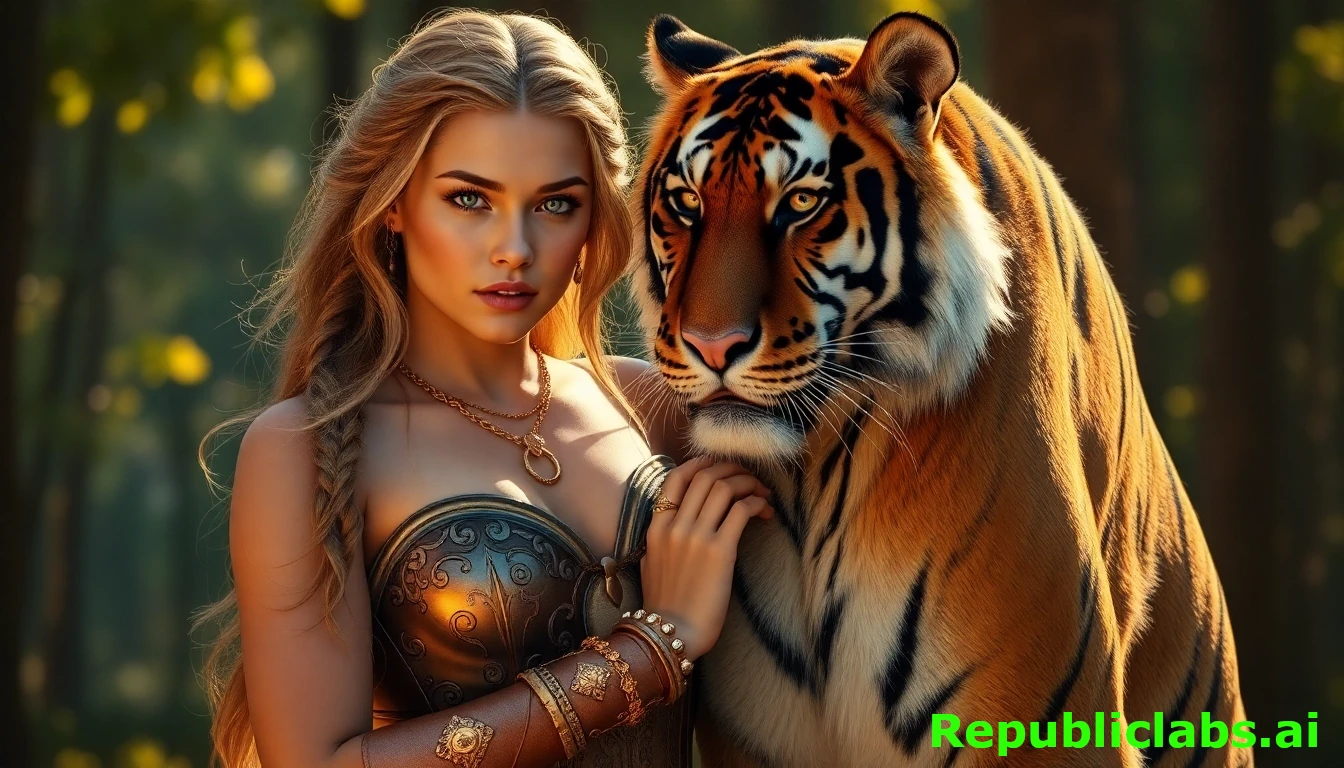
Creating stunning images from just a few words is now easier than ever. Thanks to the Nvidia Sana model on AI-image-generators.app, anyone can generate high-quality AI images for free, with no sign-up required and no limits on how many images you can create. This tool is perfect for students, artists, or anyone curious about AI art. In this article, we’ll explore what makes Nvidia Sana special, how to use ai-image-generators.app, and why it’s a game-changer for creative projects. Written in simple language, this guide will help you understand everything you need to know to start creating amazing images today.
What Is AI-image-generators.app?
AI-image-generators.app is a website that lets you create AI-generated images using a powerful model called Nvidia Sana. Unlike other platforms that require you to sign up or pay for credits, this site offers free, unlimited image generation. You just type a description, hit a button, and watch your ideas turn into visuals in seconds. It’s simple, fast, and open to everyone, making it a great choice for beginners and experienced creators alike.
The Nvidia Sana model, developed by NVIDIA’s research team, is the engine behind this tool. It’s designed to produce high-quality images quickly, even on regular computers or laptops. Whether you’re making art for a school project, designing a poster, or just having fun, this platform makes it easy to bring your imagination to life.
Why Nvidia Sana Stands Out
The Nvidia Sana model is different from other AI image generators. Here’s why it’s so impressive:
1. High-Quality Images
Nvidia Sana can create images up to 4096×4096 resolution, which means they’re super clear and detailed. Whether you want a realistic photo or a colorful illustration, the results are sharp and vibrant.
2. Super Fast
Unlike some AI tools that take minutes to process, Sana generates images in under a second for smaller sizes (like 1024×1024) on a standard laptop with 16GB of memory. This speed makes it perfect for quick experiments or big projects.
3. Works on Regular Computers
You don’t need a fancy, expensive computer to use Nvidia Sana. It’s built to run on everyday devices, so anyone with a decent laptop can create stunning images without worrying about hardware.
4. Free and Unlimited
On ai-image-generators.app, there are no limits to how many images you can make. You don’t need to sign up or pay anything, which makes it accessible to everyone, especially students or hobbyists on a budget.
5. Easy to Use
The website has a simple design. You type what you want to see, pick a resolution if needed, and click “Generate.” No complicated settings or technical knowledge required.
How to Use ai-image-generators.app
Getting started with ai-image-generators.app is as easy as 1-2-3. Here’s a step-by-step guide:
Step 1: Visit the Website
Go to ai-image-generators.app. You’ll see a clean, user-friendly interface with a text box where you can type your ideas.
Step 2: Write Your Prompt
A prompt is a short description of the image you want. For example, “a fluffy cat sitting in a cozy treehouse” or “a futuristic city at sunset.” Be clear and specific for the best results. If you want, you can add details like colors or styles (e.g., “cartoon style” or “realistic”).
Step 3: Click Generate
Hit the “Generate” button, and in a few seconds, your image will appear. You can download it or try a new prompt if you want something different.
Step 4: Experiment and Refine
If the image isn’t exactly what you wanted, tweak your prompt. For example, add words like “bright” or “dark” to change the mood, or try a different style like “watercolor” or “3D.” The unlimited generations mean you can keep trying until you’re happy.
The first time I used ai-image-generators.app, I was blown away by how easy and fun it was. I’d heard about AI image generators but never tried one that was free and didn’t need a sign-up. One rainy afternoon, I decided to give it a go. I opened the website, saw the simple text box, and thought, “Let’s try something whimsical.” My first prompt was: “a magical treehouse glowing in a starry forest, cartoon style.”
I hit “Generate,” and in just a few seconds, an image popped up. It was incredible! The treehouse was nestled in a giant oak, with golden lights spilling from tiny windows. The forest sparkled with fireflies, and the cartoon style gave it a playful, storybook vibe. I expected something basic, but the details—like the rope ladder and twinkling stars—felt so alive. It was like stepping into a childhood dream.
What surprised me most was how polished the image looked. I’m no artist, but this felt professional, like something from a kids’ book. It inspired me to keep experimenting. I tried tweaking the prompt to “a magical treehouse in a snowy forest, watercolor style,” and got a completely different but equally stunning result. The soft, icy blues and delicate textures made me want to write a story about the scene.
That first experience hooked me. I spent hours playing with prompts, creating everything from dragons to futuristic cities. It wasn’t just fun—it sparked ideas for a creative writing project I’d been stuck on. The ease of ai-image-generators.app and Nvidia Sana’s power made me feel like I could bring any idea to life, no matter how wild.
Why Free and Unlimited Matters
Most AI image generators limit how many images you can create for free. Some ask for a subscription, while others make you sign up or watch ads. ai-image-generators.app is different because it’s completely free with no restrictions. This is a big deal for:
- Students: You can create images for school projects, presentations, or creative writing without spending money.
- Hobbyists: If you love experimenting with art, you can try as many prompts as you want without worrying about running out of credits.
- Small Businesses: Need visuals for a blog or social media? You can generate professional-looking images without a budget.
The unlimited access also encourages creativity. You can test wild ideas, like “a dragon flying over a neon jungle,” without worrying about hitting a limit. This freedom makes it fun and stress-free to explore.
What Can You Create with Nvidia Sana?
The possibilities with Nvidia Sana on ai-image-generators.app are endless. Here are some ideas to spark your imagination:
1. Art for Fun
Create whimsical images like “a penguin riding a skateboard” or “a magical forest with glowing mushrooms.” It’s a great way to have fun and see what the AI can do.
2. School Projects
Need a picture for a history report or science poster? Type something like “an ancient Egyptian pyramid at sunrise” or “a diagram of a volcano erupting.” The high-resolution images will make your work stand out.
3. Social Media Content
Make eye-catching posts with prompts like “a cozy coffee shop in autumn” or “a futuristic car speeding through a city.” These images can grab attention on platforms like Instagram or TikTok.
4. Game Design
If you’re into gaming, use Sana to create character designs or backgrounds, like “a warrior in futuristic armor” or “a haunted castle at midnight.” It’s a quick way to prototype ideas.
5. Storytelling
Writing a story? Generate images to visualize your characters or settings, like “a pirate ship sailing through a stormy sea.” These visuals can help bring your ideas to life.
Sarah, a seventh-grade student, was struggling with a science project about endangered animals. Her teacher asked for a poster with visuals to explain the importance of conservation. Sarah wasn’t great at drawing, and finding free, high-quality images online was tough. Then she discovered ai-image-generators.app, a free tool powered by Nvidia Sana that didn’t require a sign-up. Excited, she decided to use it to create images for her project.
For her poster, Sarah needed a picture of a coral reef to show how pollution affects marine life. She typed the prompt “a vibrant coral reef with colorful fish, realistic style” into the website and hit “Generate.” In seconds, a stunning image appeared, bursting with bright corals and tropical fish swimming in crystal-clear water. The detail was so impressive that Sarah gasped—it looked like a photo from a nature documentary. Encouraged, she generated another image with the prompt “a polluted coral reef with faded colors and trash,” which showed a bleak, gray reef littered with plastic. The contrast between the two images was perfect for her project.
Sarah used these images as the centerpiece of her poster, pairing them with facts about conservation. The vivid visuals grabbed her classmates’ attention during her presentation, and her teacher praised the professional quality of the images. Sarah explained how she used ai-image-generators.app, and her classmates were amazed that such a powerful tool was free and easy to use.
The outcome was a huge success. Sarah earned an A on her project, and her confidence in creative work soared. She even started using the app for fun, generating images for her short stories. The experience showed her how AI could make school projects stand out and sparked a new hobby in digital art.
Tips for Getting the Best Results
To make the most of ai-image-generators.app and Nvidia Sana, try these tips:
1. Be Specific with Prompts
The more details you include, the better the image. Instead of “a dog,” try “a golden retriever playing fetch in a sunny park.” Specifics like colors, settings, or styles help the AI understand your vision.
2. Experiment with Styles
Add words like “cartoon,” “realistic,” “watercolor,” or “3D” to change the look of your image. For example, “a castle in a fantasy world, watercolor style” will look very different from “a castle in a fantasy world, realistic.”
3. Try Negative Prompts
Some AI tools let you add “negative prompts” to avoid things you don’t want, like “no blurry images” or “no extra limbs.” Check if ai-image-generators.app has this feature and use it to fine-tune your results.
4. Keep Refining
If the first image isn’t perfect, change a few words and try again. Since it’s unlimited, you can experiment as much as you want.
5. Save Your Favorites
Download your best images to keep track of them. You can create a folder on your computer to store all your AI art.
How Nvidia Sana Compares to Other AI Image Generators
There are many AI image generators out there, like DALL-E, Midjourney, and Stable Diffusion. Here’s how Nvidia Sana on ai-image-generators.app stacks up:
1. Free vs. Paid
DALL-E and Midjourney often require subscriptions or credits, while Sana on ai-image-generators.app is completely free with no limits.
2. Ease of Use
Some tools, like Stable Diffusion, can be tricky to use without technical knowledge. Sana’s interface is simple, making it great for beginners.
3. Speed and Quality
Sana is faster than many competitors, creating high-resolution images in seconds. Its quality matches or even beats bigger models like Flux-12B, despite being much smaller.
4. Accessibility
Unlike tools that need powerful computers, Sana works on standard laptops, so more people can use it.
I’ve used both Nvidia Sana on ai-image-generators.app and Stable Diffusion for creating AI art, and the comparison is eye-opening. What I love about Sana is its speed—it’s lightning-fast, generating a 1024×1024 image in under a second on my laptop, compared to Stable Diffusion, which can take several seconds or more, especially on my modest hardware. Sana’s ability to produce high-quality 4K images without needing a top-tier GPU is a game-changer. I also appreciate that ai-image-generators.app is free and doesn’t require a sign-up, unlike Stable Diffusion, which often involves setup or paid platforms for the best results.
Sana’s prompt adherence is solid, though not always perfect. When I tried “a serene lake with mountains at sunrise, realistic style,” Sana delivered a vibrant, detailed image that felt professional. Stable Diffusion sometimes required more prompt tweaking to get similar quality, especially for complex scenes. Sana’s deep compression autoencoder and linear attention mechanism make it efficient, letting me experiment endlessly without lag or crashes, which I’ve hit with Stable Diffusion on my 16GB laptop.
However, Sana has drawbacks. Its images, while sharp, can lose some fine details at 4K when zoomed in, like text or intricate textures, which Stable Diffusion handles better with the right settings. Also, Sana’s text encoder (using Gemma) occasionally misinterprets nuanced prompts compared to Stable Diffusion’s CLIP-based system, which feels more robust for abstract ideas. Lastly, I’ve read Sana might be censored for certain content, limiting creative freedom compared to Stable Diffusion’s open-source flexibility.
Overall, I prefer Sana for its speed, accessibility, and free unlimited use, but Stable Diffusion edges out for detailed control and versatility in complex prompts.
Why Nvidia Sana Is a Game-Changer
The Nvidia Sana model is a big deal in the world of AI art. Most high-quality image generators need expensive hardware or charge fees, which can shut out students, hobbyists, or small creators. Sana changes that by being fast, free, and easy to use. Its ability to create 4K images on a regular laptop is a huge step forward, making AI art accessible to everyone.
Plus, the unlimited generations on ai-image-generators.app mean you can experiment without worrying about costs or limits. This freedom encourages creativity and lets you try new ideas without pressure. Whether you’re a kid making art for fun or a teacher looking for visuals for a lesson, Sana makes it possible.
Real-World Uses of ai-image-generators.app
People are using Nvidia Sana on ai-image-generators.app in all sorts of ways. Here are some examples:
- Teachers: Create visuals for lessons, like “a diagram of the solar system” or “a medieval village.”
- Artists: Experiment with new styles or generate inspiration for paintings, like “a surreal desert with floating clocks.”
- Content Creators: Make unique images for YouTube thumbnails or blog posts, like “a vibrant festival scene.”
- Students: Add professional-looking images to presentations, like “a polar bear on an iceberg” for a climate change project.
Jake, a high school freshman, faced a challenge with his English class assignment: create a book cover for a fictional story about a time-traveling adventurer. He wasn’t skilled at drawing, and stock images felt too generic for his unique tale. A friend suggested ai-image-generators.app, a free platform powered by Nvidia Sana that required no sign-up. Jake decided to try it to bring his story’s vision to life.
He typed the prompt “a steampunk time machine in a misty Victorian city, cinematic style” into the website. In seconds, the app generated a striking image: a gleaming brass time machine with gears glowing faintly, set against cobblestone streets shrouded in fog. The cinematic quality, with dramatic lighting and rich details, looked like a movie poster. Jake was thrilled—the image captured the exact mood of his story. He generated another with “a futuristic city skyline at dusk, neon lights,” to depict his character’s destination, and the vibrant, high-resolution result added depth to his project.
Using these images, Jake designed a professional-looking book cover using free editing software. The vivid visuals made his story stand out during the class presentation, earning gasps from classmates and praise from his teacher, who noted the cover’s creativity and polish. The images also helped Jake clarify his story’s setting, inspiring him to add richer descriptions to his writing.
The impact was significant. Jake’s grade jumped to an A, boosting his confidence in creative projects. He began using ai-image-generators.app for other assignments, like history posters, and even shared the tool with his classmates, sparking a wave of AI-driven creativity in his school. The app’s ease and Nvidia Sana’s power turned a daunting task into a fun, successful project, proving AI could elevate schoolwork effortlessly.
Things to Keep in Mind
While ai-image-generators.app and Nvidia Sana are amazing, there are a few things to consider:
1. Prompt Quality Matters
The AI relies on your words, so vague prompts might give weird results. Practice writing clear descriptions to get what you want.
2. Not Perfect Every Time
Sometimes, the AI might misinterpret your prompt or add unexpected details. Keep tweaking until you’re happy.
3. Ethical Use
AI images can be powerful, but make sure you’re not creating anything harmful or misleading. Use your creations responsibly.
4. Copyright Questions
AI-generated images might not be copyright-protected in some places, so check the rules if you plan to use them for business.
Get Started Today
ai-image-generators.app, powered by Nvidia Sana, is a fantastic tool for anyone who wants to create beautiful images without spending money or needing a powerful computer. Its free, unlimited access and simple interface make it perfect for students, artists, and creators of all kinds. Whether you’re making art for fun, school, or work, this platform lets you turn your ideas into reality in seconds.
Ready to try it? Visit AI-image-generators.app, type in a prompt, and see what you can create. With no sign-up and no limits, there’s nothing stopping you from exploring your creativity. Start generating today and let your imagination run wild!
Leave a Reply