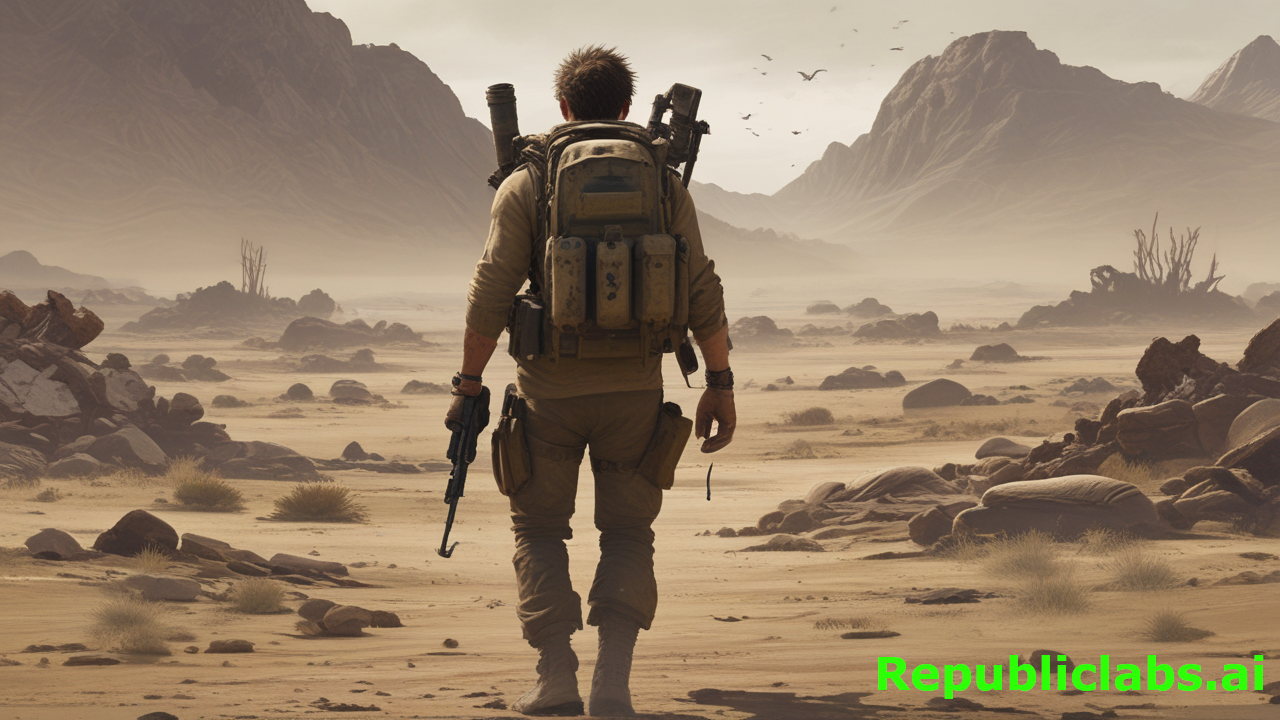
Imagine being able to create beautiful, high-quality images from just a few words, all for free and without needing to sign up. That’s what AI-image-generators.app offers with its Flux model. This tool is perfect for students, artists, or anyone who wants to explore their creativity without spending money or dealing with complicated processes. In this article, we’ll dive into what makes this AI image generator special, how it works, why the Flux model stands out, and how you can start using it today.
What Is AI-image-generators.app?
AI-image-generators.app is a website that lets you create images using artificial intelligence (AI). You type in a description, like “a sunny beach with palm trees” or “a futuristic city at night,” and the AI turns your words into a picture. The best part? It’s completely free, and you don’t need to create an account to use it. You can generate as many images as you want, making it a fun and accessible tool for everyone.
The website uses the Flux model, a powerful AI developed by Black Forest Labs, the team behind Stable Diffusion. This model is known for creating clear, detailed, and realistic images that closely match what you describe. Whether you’re making art for a school project, designing something for fun, or experimenting with creative ideas, this tool makes it easy.
Why Choose the Flux Model?
The Flux model is one of the best AI image generators out there. Here’s why it stands out:
1. High-Quality Images
The Flux model creates images with sharp details, vibrant colors, and realistic textures. It can handle complex descriptions, like “a dragon flying over a snowy mountain” or “a cozy café with warm lighting.” The images look professional, even if you’re just starting out.
2. Great Prompt Accuracy
When you type a description (called a prompt), the Flux model listens closely. It tries to match your words as accurately as possible. For example, if you ask for “a cat wearing a wizard hat,” you’ll likely get exactly that, not something random.
3. Fast and Efficient
The Flux model, especially its “Schnell” version, is super fast. It can create images in just a few seconds, so you don’t have to wait long to see your creation. This makes it great for trying out lots of ideas quickly.
4. Open-Source and Free
Unlike some AI tools that charge money or limit how many images you can make, the Flux model on ai-image-generators.app is free and unlimited. You can experiment as much as you want without worrying about costs or restrictions.
5. Versatile Styles
The Flux model can create all kinds of images, from photorealistic scenes to cartoon-style art or abstract designs. Whether you want a lifelike portrait or a colorful fantasy world, it can do it.
How to Use ai-image-generators.app
Using the AI image generator is simple, even if you’ve never tried AI before. Here’s a step-by-step guide:
Step 1: Visit the Website
Go to ai-image-generators.app in your web browser. You don’t need to sign up or download anything. The tool works right in your browser, whether you’re on a computer, tablet, or phone.
Step 2: Write a Prompt
Type a description of the image you want. Be as specific as you can. For example, instead of “a dog,” try “a fluffy golden retriever playing in a green park.” The more details you add, the better the image will match your idea.
Step 3: Choose Settings (Optional)
The website might let you tweak settings like image size or style. If you’re a beginner, you can skip this and use the default settings. The Flux model will still create a great image.
Step 4: Click Generate
Hit the “Generate” button, and in a few seconds, your image will appear. If you don’t like it, tweak your prompt and try again. There’s no limit to how many images you can make!
Step 5: Download and Share
Once you’re happy with your image, you can download it to your device or share it with friends. Use it for projects, social media, or just for fun.
Why Free and Unlimited Matters
Most AI image generators have limits. Some make you pay after a few images, while others require you to sign up or only give you low-quality results for free. ai-image-generators.app is different because:
- No Cost: You can create as many images as you want without spending a penny.
- No Sign-Up: You don’t need to give your email or create an account, which saves time and keeps things private.
- Unlimited Creativity: With no limits, you can experiment with endless ideas, from silly to serious, without worrying about running out of tries.
This makes it perfect for students, hobbyists, or anyone who wants to play around with AI art without commitment.
Who Can Use This Tool?
The Flux model on ai-image-generators.app is great for all kinds of people:
- Students: Create images for school projects, like posters, presentations, or creative writing assignments.
- Artists: Experiment with new styles or generate ideas for your next masterpiece.
- Teachers: Make visual aids for lessons, like historical scenes or science diagrams.
- Hobbyists: Have fun creating art for personal projects, social media, or just to see what the AI can do.
- Small Businesses: Design marketing materials, like social media posts or product mockups, without hiring a professional artist.
No matter who you are, the tool is easy to use and doesn’t require any special skills.
Tips for Getting the Best Results
To make your images look amazing, try these tips:
1. Be Specific with Prompts
The more details you include, the better. For example, “a sunset over a calm lake with pink and orange clouds” will give you a more accurate image than just “a sunset.”
2. Experiment with Styles
Try adding words like “photorealistic,” “cartoon,” “oil painting,” or “anime” to your prompt to change the style. For example, “a castle in a forest, watercolor style” will look different from “a castle in a forest, 3D render.”
3. Use Negative Prompts
Some versions of the Flux model let you add a “negative prompt” to avoid things you don’t want. For example, if you don’t want blurry images, you could add “blurry” to the negative prompt.
4. Try Multiple Prompts
If your first image isn’t perfect, change a few words and try again. The unlimited feature means you can keep experimenting until you get it right.
5. Keep It Simple at First
If you’re new to AI art, start with basic prompts and work your way up to more complex ones. This helps you learn how the tool responds to different descriptions.
One afternoon, I decided to try the Flux model on ai-image-generators.app to create a poster for a school project. I typed, “a vibrant jungle with colorful parrots and a waterfall, cartoon style.” In seconds, the AI generated a stunning image with lush green trees, bright birds, and a sparkling waterfall. The colors popped, and the cartoon style was exactly what I wanted! I was amazed at how closely it matched my vision.
I tweaked the prompt to add “sun rays through the trees,” and the next image was even better, with golden light streaming in. I learned that being specific with prompts is key to getting great results. I also realized the Flux model handles details like lighting and style really well, but it took a couple of tries to get the composition perfect. The unlimited tries let me experiment without stress. I downloaded the final image and used it for my poster, which got tons of compliments. This taught me how powerful and fun AI art can be for bringing ideas to life!
Comparing Flux to Other AI Image Generators
There are lots of AI image generators out there, like Midjourney, DALL-E 3, and Stable Diffusion. Here’s how the Flux model on ai-image-generators.app compares:
Flux vs. Midjourney
Midjourney makes great images, but it’s not free, and you need to sign up. Flux is free, unlimited, and doesn’t require an account, making it more accessible. Flux also handles text in images better, like signs or labels, which Midjourney sometimes struggles with.
Flux vs. DALL-E 3
DALL-E 3 is powerful but has strict limits on free use and requires a paid subscription for full access. Flux offers similar quality for free and doesn’t limit how many images you can make.
Flux vs. Stable Diffusion
Stable Diffusion is the predecessor to Flux, created by the same team. Flux improves on Stable Diffusion by being faster, more accurate, and better at rendering details like hands or text. Plus, ai-image-generators.app makes Flux easier to use than some Stable Diffusion platforms that require downloads or technical know-how.
Mike is a middle school art teacher, and last month, his class had to create posters for a science fair. One student, Mia, was struggling. She wanted to show a coral reef ecosystem but couldn’t draw well and was too shy to ask for help. Mike suggested she try ai-image-generators.app, which uses the Flux model to create images for free without signing up.
Mia was hesitant but excited. At home, she visited the website and typed, “a colorful coral reef with fish and sunlight underwater.” In seconds, the Flux model generated a vibrant image with bright corals, tropical fish, and shimmering light. She gasped at how real it looked! She tweaked her prompt to add “a sea turtle swimming nearby,” and the next image was perfect for her poster. Mia downloaded it, added text with a simple design app, and had her poster ready in no time.
At the science fair, her poster stood out, and she won second place! Mia told Mike using ai-image-generators.app boosted her confidence because she could create something beautiful without drawing skills. It solved her problem and sparked her interest in digital art. Now, she uses the tool to experiment with ideas for her sketchbook, like fantasy landscapes and animals. Mike learned how AI can empower kids to express themselves creatively, even if they doubt their abilities.
Benefits of Using ai-image-generators.app
Here are some key benefits of using this tool:
- Saves Time: Create images in seconds instead of spending hours drawing or designing.
- Boosts Creativity: Try out ideas you might not have the skills to draw yourself.
- Free and Accessible: No cost or sign-up means anyone can use it.
- High Quality: The Flux model produces professional-looking images that rival paid tools.
- Fun and Educational: Learn about AI and art while having fun experimenting.
As someone who’s dabbled in digital art, I find ai-image-generators.app with its Flux model fantastic for beginners like me. It’s free, requires no sign-up, and creates stunning images from simple prompts in seconds. I typed “a starry night over a mountain” and got a gorgeous image without any tech know-how. The intuitive interface and unlimited generations make it perfect for newbies to experiment, learn prompt crafting, and create art for projects or fun. It’s empowering to see your ideas come to life so easily!
However, as I explored more, I noticed limitations for professionals. First is the queue since the website is free to use. The Flux model excels at general styles like photorealistic or cartoon, but it lacks advanced controls like layer editing, precise color adjustments, or batch processing, which pros might need for complex workflows. Customizing specific details, like exact lighting angles, can also be hit-or-miss, requiring multiple prompt tweaks.
The free, unlimited access is a game-changer, letting me generate dozens of images without worry. But I wonder if this could lead to overuse, like spamming low-effort prompts that clog servers or produce generic art. It might also discourage learning manual art skills if beginners rely solely on AI. Still, the accessibility outweighs these concerns for casual users like me, though professionals might want more robust tools for their work.
Real-World Uses for AI-Generated Images
The images you create with ai-image-generators.app can be used in many ways:
- School Projects: Make posters, book covers, or illustrations for stories.
- Social Media: Create eye-catching posts for Instagram, TikTok, or X.
- Art Exploration: Experiment with new styles or create digital art for fun.
- Marketing: Design visuals for small businesses, like logos or product mockups.
- Gaming: Create concept art for characters, backgrounds, or game assets.
Things to Keep in Mind
While ai-image-generators.app is awesome, there are a few things to remember:
- Prompt Accuracy: The AI tries to match your description, but it might not always be perfect. Keep tweaking your prompt if needed.
- Ethical Use: Don’t use the tool to create harmful or illegal content. Be responsible with your creations.
- Internet Connection: Since it’s a web-based tool, you’ll need a stable internet connection for the best experience.
- Learning Curve: It might take a few tries to get the hang of writing good prompts, but practice makes perfect.
Why It’s Great for Kids and Beginners
The Flux model on ai-image-generators.app is perfect for kids in grades 5-7 or anyone new to AI art. The website is easy to use, and you don’t need to know anything about technology or art to get started. Plus, the free and unlimited access means you can experiment without worrying about making mistakes. It’s a fun way to learn about AI, creativity, and design while making cool images.
Future of AI Image Generators
AI image generators like Flux are changing the way we create art. As technology improves, we can expect even better image quality, faster generation times, and more features, like video creation or 3D modeling. ai-image-generators.app is already ahead of the curve by offering free, unlimited access to a top-notch model like Flux. In the future, we might see more tools like this that make creativity accessible to everyone.
Final Thoughts
AI-image-generators.app is a game-changer for anyone who wants to create stunning images without spending money or signing up. The Flux model’s high quality, speed, and versatility make it one of the best AI image generators available. Whether you’re a student, artist, or just curious, this tool lets you bring your ideas to life in seconds. So why wait? Head to ai-image-generators.app and start creating your own AI art today!
Leave a Reply