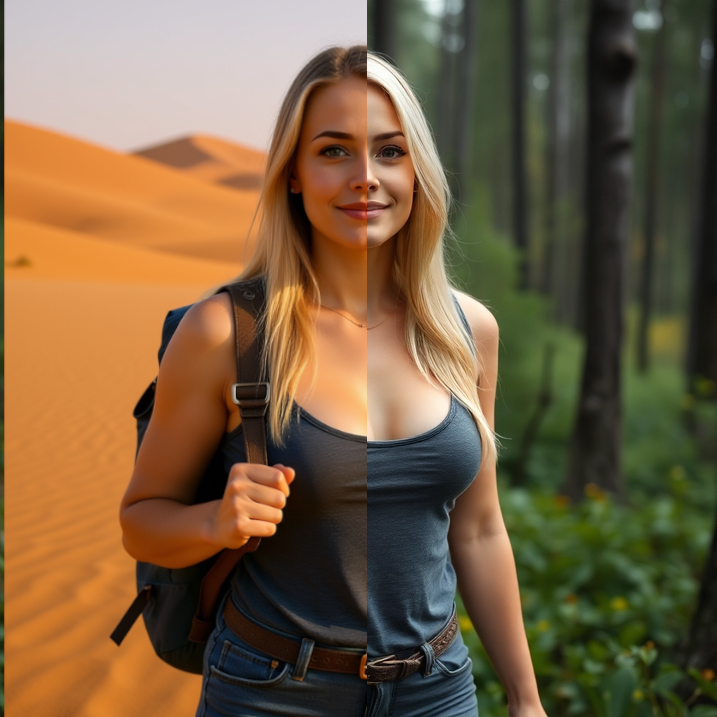
In today’s digital age, visual content reigns supreme. Whether you’re a social media influencer, a small business owner, or just someone who loves sharing photos, the ability to edit images effectively can make all the difference. But what if you’re not a pro at Photoshop? Enter AI image editing – a game-changing technology that’s democratizing photo manipulation for everyone. This innovative approach uses artificial intelligence to transform your images with minimal effort, allowing you to achieve professional results without years of training.In this comprehensive guide, we’ll dive deep into the world of AI image editing, exploring its benefits, how it works, and why it’s the future of visual creativity. If you’re searching for the best AI photo editor tools or wondering how to edit images with AI, you’ve come to the right place. We’ll also spotlight user-friendly platforms that make the process seamless, ensuring you can elevate your visuals in no time.
What is AI Image Editing?
At its core, AI image editing leverages machine learning algorithms to analyze and modify images based on user inputs. Unlike traditional software like Adobe Photoshop, which requires manual adjustments using tools like brushes, layers, and masks, AI does the heavy lifting. It understands context, recognizes objects, and applies changes intelligently.Imagine uploading a photo and simply describing what you want: “Remove the background and add a sunny beach scene.” The AI processes this natural language command and generates the edited image in seconds. This technology draws from vast datasets of images, learning patterns in colors, shapes, and compositions to deliver realistic outcomes.Key features of AI image editing include:
- Object Removal and Addition: Erase unwanted elements or insert new ones seamlessly.
- Color Correction and Enhancement: Adjust hues, saturation, and brightness automatically.
- Style Transfer: Apply artistic filters, like turning a photo into a Van Gogh painting.
- Upscaling and Restoration: Improve low-resolution images or fix old, damaged photos.
With advancements in generative AI models like Stable Diffusion and DALL-E, AI photo editing has evolved from basic tweaks to creating entirely new visuals from scratch.
The Benefits of Using AI for Image Editing
Why switch to AI image editing when traditional methods exist? The advantages are numerous and compelling, especially for beginners and busy professionals.First, it’s incredibly time-efficient. Manual editing in Photoshop can take hours for complex tasks, but AI handles them in minutes. This speed boosts productivity, allowing content creators to focus on ideation rather than execution.Second, accessibility is a major win. Not everyone has the skills or software for advanced edits. AI image editors lower the barrier, making high-quality results available to all. No need for expensive subscriptions or steep learning curves – just intuitive interfaces and text prompts.Third, consistency and precision. AI ensures uniform edits across multiple images, ideal for branding or e-commerce. It also minimizes human error, producing photorealistic changes that blend naturally.Finally, cost savings. Free or affordable AI photo editing tools reduce the need for professional designers, empowering individuals and small teams to handle their visuals in-house.
How AI Image Editing Works: A Behind-the-Scenes Look
Understanding the mechanics of AI image editing can help you appreciate its power. It starts with computer vision, where AI algorithms detect and segment elements in an image – think identifying a person’s face, a car, or the sky.Next comes natural language processing (NLP). When you input a text description like “change the dress color to red,” the AI interprets the command, maps it to the image, and applies generative techniques to make the alteration.Under the hood, neural networks process pixels, predicting how changes should look based on trained data. For instance, if you’re editing a landscape, the AI might reference millions of similar images to ensure realistic lighting and shadows.Popular frameworks like GANs (Generative Adversarial Networks) play a role, where one network generates edits and another critiques them for authenticity. This results in outputs that are not just edited but intelligently enhanced.
Top AI Image Editing Tools and Platforms
The market is flooded with AI photo editors, but not all are created equal. Tools like Canva’s Magic Studio or Adobe Firefly integrate AI seamlessly, but for a truly effortless experience, especially if you’re new to this, consider specialized platforms.If you don’t have good Photoshop skills, fear not – simply head over to republiclabs.ai and use AI to edit your images. This platform stands out for its simplicity and power. Upload your image, and then use text to tell the AI what to change, such as colors, items, backgrounds, or even adding entirely new elements. It’s like having a personal designer at your fingertips, powered by cutting-edge AI.Other notable mentions include:
- Midjourney: Great for generating images from text, with editing capabilities via Discord.
- Remove.bg: Specialized in background removal, perfect for quick e-commerce edits.
- Luminar AI: Focuses on photo enhancement for photographers.
However, republiclabs.ai excels in versatility, supporting a wide range of edits without requiring any technical know-how.
Step-by-Step Guide: Editing Images with RepublicLabs.ai
Ready to try AI image editing? Let’s walk through using republiclabs.ai, an ideal starting point for beginners.
- Sign Up and Upload: Visit republiclabs.ai and create a free account. Click “Upload Image” and select your photo from your device. The platform supports the common format PNG.
- Select models: One of the differentiators on Republiclabs.ai is the ability of multi-model generation using a single prompt. Simply checkbox the models you want and you can generate your content with multiple models simultaneously.
- Describe Your Edits: In the text prompt box, type your instructions. Be specific for best results – e.g., “Change the sky to a starry night and add a red sports car in the foreground.” The AI understands natural language, so no coding needed.
- Preview and Refine: Generate the edit and review the preview. If it’s not perfect, tweak your prompt, like “Make the car smaller and adjust the lighting to match dusk.”
- Download and Share: Once satisfied, download the high-res version. You can iterate as many times as needed.
This process takes under a minute for most edits, making it faster than traditional methods. Pro tip: Experiment with prompts for creative outcomes, like “Turn this portrait into a cyberpunk style with neon lights.”
Real-World Examples of AI Image Edits
To illustrate the potential, consider these scenarios:
- Social Media Makeover: A blogger uploads a selfie and prompts: “Remove blemishes, brighten teeth, and add a tropical filter.” The result? A polished profile pic ready for Instagram.
- E-Commerce Boost: An online seller edits product photos by saying: “Change background to white and enhance colors.” This creates clean, professional listings that drive sales.
- Creative Projects: An artist uses AI photo editing to “Add fantasy elements like dragons to this landscape,” sparking unique artwork.
With republiclabs.ai, users have reported transforming mundane photos into stunning visuals, all through simple text commands.
The Future of AI in Image Editing
As AI evolves, expect even more sophisticated features. Integration with AR/VR could allow real-time edits in virtual spaces. Ethical considerations, like deepfake detection, will shape development, ensuring responsible use.Advancements in multimodal AI might combine image editing with video or 3D models, expanding creative horizons. For now, platforms like republiclabs.ai are leading the charge, making AI image editing accessible and fun.
Conclusion: Embrace the AI Image Editing Revolution
AI image editing is more than a trend – it’s a transformative tool that’s reshaping how we create and share visuals. Whether you’re enhancing personal photos or optimizing business content, the ease and power of AI make it indispensable.If traditional editing intimidates you, remember: You don’t need Photoshop mastery. Simply head to republiclabs.ai, upload your image, and use text to guide the AI on changes like colors, items, or scenes. Start experimenting today and unlock your creative potential.With AI photo editors like this, the only limit is your imagination. Optimize your workflow, save time, and produce jaw-dropping results effortlessly. Ready to edit? Dive in and see the magic unfold.
Leave a Reply