
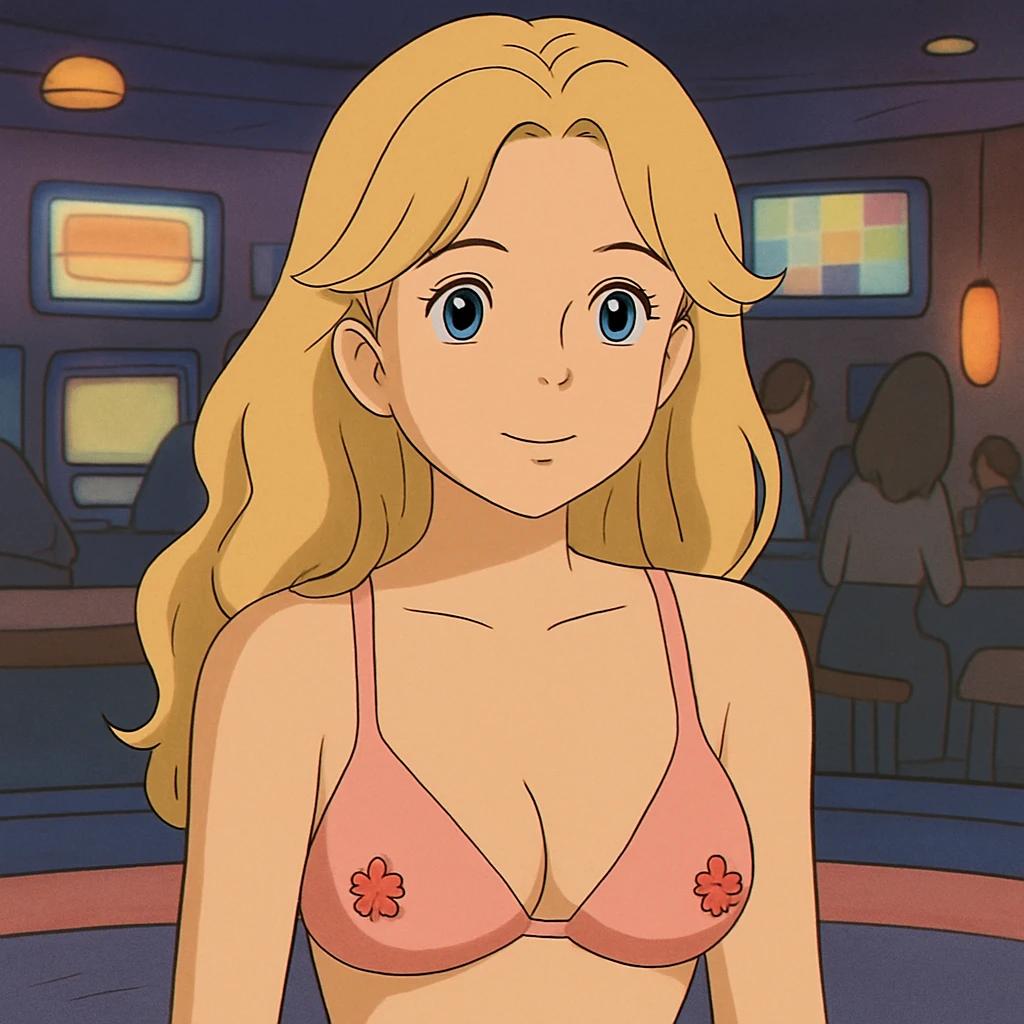
Studio Ghibli has captivated audiences worldwide with its enchanting animations. Its unique art style is instantly recognizable, filled with vibrant colors, intricate details, and a blend of realism and fantasy.
But what if you could transform your own images into this iconic style?
This guide will show you how. We’ll take you through a step-by-step process of converting your images into the Studio Ghibli style.
You’ll learn about the tools and techniques needed for this transformation. From color correction to texture addition, we’ll cover it all.
We’ll also delve into the distinctive elements of Studio Ghibli’s art. Understanding these elements is crucial to achieving an authentic Ghibli-style conversion.
Whether you’re a digital artist, a Ghibli fan, or just curious about image editing, this guide is for you.
So, are you ready to embark on this artistic journey? Let’s dive into the magical world of Studio Ghibli style image conversion.
Understanding the Studio Ghibli Style
Studio Ghibli’s art style is both enchanting and intricate. It’s known for its use of lush landscapes and expressive characters. This combination creates a visually rich experience.
The colors are a key component, often vivid yet harmonious. Soft, earthy tones are common, giving scenes a natural feel.
Textures play a significant role too. They add depth, making settings feel tangible and real. This texture layering is part of what makes the Ghibli style unique.
Character design in Ghibli films is distinctively expressive. Each character has a personality that shines through simple yet effective animations. This gives them a universal appeal.
In animation, the Ghibli style incorporates fluid movements. This fluidity adds to the fantasy elements while maintaining believability. It captures the imagination of audiences worldwide.
Achieving this level of detail in your conversions requires patience and a keen eye. Yet, understanding the style’s core elements is the first step.
The Unique Elements of Ghibli Art
Color is essential in Ghibli art. Each scene is meticulously color-coordinated. This coordination enhances mood and storytelling. It’s a vital part of the artistic process.
Another unique element is the intricate background detail. Ghibli films feature elaborate environments. Each scene brims with detailed foliage, architecture, or both.
Finally, magical elements are subtly integrated. They’re woven into the storytelling, appearing in symbols or characters. This magic is part of what fans love.
The Cultural Impact of Studio Ghibli
Studio Ghibli has profoundly impacted animation and film culture. Its films have set a high standard for storytelling and artistry. This influence extends worldwide, inspiring countless artists and animators.
Ghibli’s art style emphasizes emotion and narrative depth. It challenges the viewer to see beyond conventional storytelling. This has influenced how art and stories are crafted globally.
Moreover, Ghibli films often explore themes of nature, technology, and humanity. These universal themes resonate with diverse audiences. They encourage reflection on environmental and societal issues.
Preparing for Your Ghibli Style Conversion
Preparation is key to effective Ghibli style image conversion. Begin with careful planning and selection. The process starts by choosing suitable images to transform. Selecting the right source image can significantly affect the final product.
Consider the key features you want to maintain. These include composition, subject, and lighting. The image should have a clear focal point. This focus aids in maintaining clarity after conversion.
Having a clear understanding of the desired Ghibli style is crucial. Ghibli’s art spans various films, each with its unique aesthetic. This diversity allows you to tailor the conversion to your preference.
Equip yourself with the right tools. Various software options are available to aid your transformation. Whether you prefer traditional graphic editors or newer AI tools, ensure they meet your needs.
Here’s a checklist to guide your preparation:
- Choose an image with strong composition.
- Define what Ghibli elements you’ll incorporate.
- Select software that suits your skill level.
- Gather reference images from Ghibli films.
- Plan your conversion process in stages.
Choosing the Right Image
Selecting the perfect image is foundational to a successful conversion. Start with images that have an evocative atmosphere. This will make aligning them with the Ghibli style easier.
The chosen image should tell a story. Consider images with dynamic lighting or interesting characters. These features will enrich the Ghibli-style transformation.
Resolution matters as well. Opt for high-resolution images to ensure the final product is sharp and vibrant. Details can get lost if the starting point isn’t crisp.
Selecting a Ghibli Film or Art Style
Deciding on a Ghibli film or art style sets the tone of your project. Each movie offers a distinct visual aesthetic. Selecting the right one aligns your conversion with the intended mood.
Spirited Away, for instance, is rich in whimsical landscapes. Meanwhile, My Neighbor Totoro focuses on rural charm and innocence. Choosing films with similar atmospheres to your image ensures a coherent result.
Consider the elements unique to each film. Think about color palettes and character styles. Matching these elements will guide your conversion process effectively.
Tools and Software for Ghibli Style Conversion
Choosing the right tools is essential for converting your images to the Ghibli style. Various software options can simplify the process. These tools range from traditional graphic editors to modern AI applications. Each offers unique features to enhance your work.
Traditional tools like Photoshop and GIMP provide manual control over the conversion. They offer extensive features for color correction, texture addition, and detail refinement. These programs suit users comfortable with manual editing.
AI-based apps provide a different approach. They use machine learning to apply pre-set filters that mimic the Ghibli style. These tools are ideal for users seeking a quicker, automated solution.
When choosing software, consider what best suits your skills. Here’s a list to guide your decision-making:
- Republiclabs.ai: Powerful for multi-style parallel generation.
- GIMP: A free and versatile alternative to Photoshop.
- AI Apps: Fast and efficient for automated conversions.
- Procreate: Great for drawing and adapting characters.
Republiclabs.ai Image to Image Conversion
RepublicLabs.ai’s Studio Ghibli Style Converter is a remarkable tool for transforming images and videos into the whimsical, hand-drawn aesthetic of Studio Ghibli, while also offering versatility to convert content into diverse styles like Simpsons, Cyberpunk, Minecraft, and more.
Integrated into the platform’s intuitive interface, this feature leverages advanced AI models to seamlessly reimagine visuals with stunning accuracy. For instance, a simple landscape photo can be converted into a lush, Ghibli-inspired scene with vibrant colors and soft textures, evoking the charm of Spirited Away. Alternatively, users can switch to the bold, cartoonish lines of The Simpsonsfor playful results, the neon-drenched grit of Cyberpunk for futuristic vibes, or the blocky, pixelated world of Minecraft for a gaming twist.
The process is straightforward: upload an image, select a style, and let the AI work its magic in minutes. RepublicLabs.ai’s multi-style approach ensures high-quality outputs across styles, with no additional censorship beyond model defaults, giving creators full artistic freedom. Priced affordably with a $10 credit pack or monthly subscriptions, and 10 free credits for new users, this tool is a must-try for artists and hobbyists in 2025.
AI-Based Apps and Filters
AI-based apps have simplified the image conversion process. They are particularly useful for those new to digital art. These applications use machine learning to replicate complex art styles. This makes achieving the Ghibli look more accessible.
Several apps offer Ghibli-inspired filters. These filters transform images in just a few clicks. The process saves time for those seeking quick transformations. However, it may lack the manual control offered by traditional editors.
When using AI apps, start by selecting a filter that suits your image. Some apps allow you to adjust the intensity of the filter, providing some customization. This flexibility can help in better aligning the output with your vision.
It’s important to review the transformed image. Subtle manual adjustments can enhance the results. While AI can deliver impressive results, human touch remains invaluable. Review and refine to perfect your Ghibli-style image.
The Conversion Process: A Step-by-Step Guide
Converting an image to the Ghibli style involves several vital steps. Each phase requires attention to detail and creativity. Start with a clear plan based on the target style. This ensures consistency throughout the conversion.
Begin the process by evaluating the image. Check its composition, elements, and overall mood. This analysis will guide your subsequent editing choices. Decide which Ghibli film or style best aligns with your vision.
Proceed to color correction to match the desired palette. Use your chosen software to adjust hues and tones. This step sets the foundation for the Ghibli transformation. Subtlety is key; aim for soft transitions and harmonious colors.
Once colors are adjusted, move on to textures and backgrounds. Studio Ghibli art is known for its rich, detailed environments. Replicate this by incorporating textures that reflect nature’s beauty. Ensure these textures blend seamlessly with the main subjects.
Color Correction and Palette Matching
Color plays a pivotal role in Ghibli-style images. Use color correction to align your image with the Ghibli aesthetic. Begin by studying the colors predominant in your chosen film. These hues will guide your corrections.
In your editing software, adjust saturation and lightness levels. Achieving soft, dream-like tones is essential. This harmony between light and shadow contributes to the signature Ghibli atmosphere.
To match the palette accurately, consider using reference images. These can serve as guides to better align your work with the Ghibli universe. They provide insights into the subtle nuances in color relationships.
Adding Textures and Backgrounds
Textures in Ghibli films enrich the visual experience. Adding textures brings depth and realism to your conversion. Start with a base texture, such as paper or canvas, in your editing software. This base will mimic the traditional feel of hand-painted art.
For backgrounds, draw inspiration from Ghibli’s lush scenes. Fields, forests, or quaint towns can serve as excellent motifs. Create layers and incorporate different texture types, from rough to smooth. They should enhance rather than overpower the main subjects.
Textures should feel integrated, not out of place. Use blending modes in your software to achieve this cohesion. Experiment with opacity to ensure the layers unite beautifully.
Character Drawing and Adaptation
Character adaptation is where creativity truly shines. Ghibli characters exhibit distinct traits—large eyes, soft lines, and expressive features. Study these elements and integrate them into your work.
For digital artists, use vector tools to define character outlines. These tools offer precision and control essential for maintaining soft edges. Keep lines gentle and avoid harshness to retain that youthful, animated quality.
Adapt existing characters or create new ones inspired by Ghibli styles. Ensure they embody the narrative essence you wish to convey. Character placement within the scene should feel natural and balanced, enhancing storytelling.
Lighting, Shading, and Magical Elements
Lighting and shading create mood in your Ghibli-style conversion. These elements add a sense of magic and wonder. Start by setting the light source and direction. Consider how it interacts with various parts of the image.
Use soft brushes to layer shades gently across surfaces. This builds depth and dimensionality. Avoid stark shadows, opting instead for subtle, gradual transitions. This approach aligns with Ghibli’s ethereal feel.
Magical elements often define Ghibli scenes. Add subtle glows, sparkles, or whimsical motifs. These features embellish the scene and align with Ghibli’s enchanting narratives. They should enhance the story, transporting viewers into the realm of fantasy.
Refining Your Ghibli Style Conversion
Refinement transforms a good conversion into an outstanding one. It’s the difference between mere imitation and a true homage. Start by revisiting each element critically. Does the color palette feel authentic? Do the textures integrate seamlessly with the main subject?
Spend time examining the tiniest details. Small inconsistencies can disrupt the Ghibli feel. The aim is for everything to appear natural and cohesive. Look for opportunities to enhance emotion through subtle adjustments.
Consider the story your image tells. Ghibli art is more than aesthetics; it’s about the narrative. Does your conversion capture a sense of movement or life? If not, tweak the composition or elements until it does.
Be patient with this stage. Refinement is an iterative process. Make adjustments, step back, and assess the impact. Take your time to bring the Ghibli magic alive in every pixel.
Attention to Detail and Blending Techniques
Details define the success of a Ghibli-style image conversion. Every brush stroke counts, contributing to the overall harmony. Pay close attention to the subtle details that might initially seem insignificant.
Effective blending sets great art apart. Seamlessly blend characters into backgrounds. Use soft edges and complementary colors for natural integration. This prevents elements from feeling starkly separate or out of place.
Practice using blending tools in your software. Experiment with different modes and layer opacities. These techniques ensure a polished finish, essential in achieving a Ghibli-like atmosphere.
Balancing Realism and Fantasy
Ghibli art thrives on a balance between realism and fantasy. This blend makes it both relatable and otherworldly. Strive to capture realistic elements without losing the whimsical essence.
Assess the realism in your images. Are the trees or water features too fantastical or overly grounded? Adjust details to maintain the delicate Ghibli balance. Less is sometimes more; the simplicity can communicate magic effectively.
Fantasy should enhance, not overwhelm. Use it to whisper stories, not shout them. Make dream-like elements believable within the context of your piece. This approach aligns with Ghibli’s ability to present an enchanting yet accessible world.
Inspiration and Resources
Art inspiration is everywhere for fans of Studio Ghibli. Drawing ideas and techniques from varied sources can elevate your work. Many artists have successfully replicated the Ghibli look. Observing their results is a great way to learn what works and what doesn’t.
Explore online galleries and forums showcasing Ghibli-style art. These platforms feature numerous pieces crafted by talented individuals. The community is often generous with advice, critiques, and tutorials.
To aid your journey, consider these resources:
- Online Tutorials: Websites and YouTube channels offer step-by-step guides.
- Books and Magazines: Publications delve into Ghibli’s artistic techniques.
- Art Workshops: Workshops provide hands-on learning and feedback from professionals.
Continuously exploring and learning keeps your style dynamic and fresh.
Successful Conversion Examples
Glimpse inspiring examples to see what’s possible with Ghibli-style conversions. Many artists share their adaptations online, showcasing diverse interpretations and styles.
An example could be a serene landscape mimicking those in “Spirited Away”. Such images often captivate with rich textures and balanced color palettes. Another might be a character adaptation resembling those in “My Neighbor Totoro”.
Examine how these creators play with light and shadow, imparting depth. Pay close attention to the emotion conveyed. Successful conversions often tell a story beyond the visual surface, touching viewers deeply. Learning from these examples can refine your artistic instincts.
Learning from Studio Ghibli’s Animation Techniques
Studying Studio Ghibli’s original works offers invaluable insights. Their films provide a masterclass in animation techniques. Not just visually, but also in how they breathe life into static frames.
Observe frame by frame to understand movement and transition. Notice how subtle changes convey mood and emotion. Ghibli animators excel in imbuing characters with personality through mere gestures.
Focus on elements like clouds, water, and foliage. These often exhibit a grace that’s both real and magical. By learning these techniques, you can improve your conversions significantly. Drawing direct inspiration from Ghibli’s mastery helps recreate that timeless charm in your artwork.
Sharing and Legal Considerations
Sharing your Ghibli-style creations allows you to connect with a wide audience. Many artists love showcasing their work on platforms like Instagram and DeviantArt. These platforms can offer exposure and valuable feedback from a global community.
However, sharing comes with responsibilities. It’s essential to respect the original creators and existing copyrights. This ensures that your homage honors, rather than diminishes, the source material. Understanding legal boundaries can safeguard you from potential issues.
Always attribute your inspirations appropriately. This respectful practice enhances credibility and fosters positive engagement. By navigating these considerations wisely, you can enjoy sharing your art while respecting legal and ethical standards.
Copyright and Intellectual Property
Navigating copyright laws is crucial when creating Ghibli-style art. Studio Ghibli’s works are protected by intellectual property rights. This means directly copying or reproducing their art without permission is prohibited.
Creating your own unique images inspired by Ghibli, however, is a respectful way to celebrate their influence. Ensure that your work is transformative, adding your personal touch rather than replicating existing pieces. This distinction is key to maintaining legal and artistic integrity.
Understanding intellectual property rights helps protect your creations, too. Register your original works if you plan to use them commercially. This legal step ensures your ideas remain yours, supporting both creativity and professionalism.
Engaging with the Ghibli Art Community
The Ghibli art community is vibrant and welcoming. Joining this community can significantly enhance your creative journey. Fellow enthusiasts and artists often share insights, resources, and constructive critiques.
Participating in forums and social media groups can facilitate deeper connections. These interactions may lead to collaborations or mentorship opportunities. Sharing your art with like-minded individuals can also inspire new ideas and techniques.
Engaging actively, you will find a sense of belonging among fans who appreciate similar aesthetics. This supportive environment can encourage artistic growth and innovation. Embrace the chance to contribute your voice and learn from others who share your passion for Ghibli’s enchanting style.
Conclusion and Call to Action
Embracing the Studio Ghibli style for your images can be a rewarding artistic venture. This journey merges creativity with technical skill, offering a unique way to express your admiration for these beloved films. As you master these techniques, remember to infuse your own voice into each conversion.
Experimentation is key in this process. Feel free to try new tools, techniques, and approaches. With each attempt, you will refine your skills and develop a distinctive style that pays homage to, yet also stands apart from, the originals.
As you continue your artistic exploration, share your works and connect with others. Engaging with a community of Ghibli fans and artists can provide support and inspiration. Encouraging others helps grow the appreciation for Ghibli’s art style, creating a cycle of creativity and innovation.
Final Checklist for Ghibli Style Image Conversion
Before wrapping up your conversion, ensure your image aligns with the Studio Ghibli aesthetic. This final checklist can guide you in the review process:
- Ensure the color palette mirrors the dreamy tones seen in Ghibli films.
- Check that textures and details maintain the balance between realism and fantasy.
- Confirm character adaptations reflect Ghibli’s whimsical style.
- Validate that backgrounds and elements convey a sense of magic and wonder.
This checklist serves as a quick reference to polish your conversion. It ensures your work captures the essence of the Studio Ghibli style while maintaining high quality and originality.
Encouragement to Share and Participate
Sharing your Ghibli-style art contributes to an inspiring community of creators. Participating in online forums or art challenges can provide opportunities for growth and recognition. These platforms often showcase diversity in techniques, offering fresh perspectives.
As you share, seek feedback and offer your thoughts to others as well. Constructive critiques can enhance your artistic journey, helping you identify areas for improvement. Additionally, they build mutual respect and camaraderie among artists.
Remember, your contribution matters. Every shared piece can inspire someone, sparking creativity and new ideas. By participating, you not only enhance your skills but also enrich the collective celebration of Ghibli’s enchanting art. Your unique interpretation adds to the vibrant tapestry of Ghibli-inspired works.
Leave a Reply